


What Is ATS and How to Choose an Applicant Tracking System
Read Time
10 Minutes
Updated On
September 4, 2026
.jpeg)
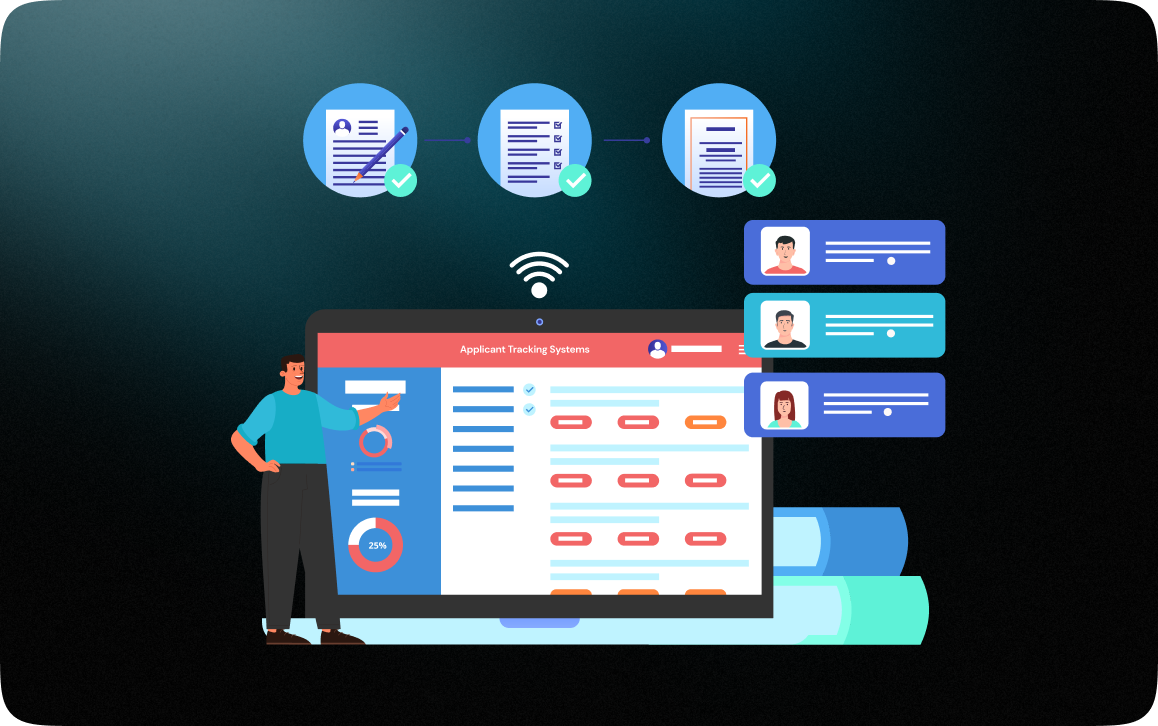


Post a job on a Monday, and by Wednesday, two hundred applications are somewhere in the world waiting to do something.
That somewhere is an ATS. And that someone doing something doesn't have to be human.
If you've posted a job online, managed a hiring pipeline, or wondered why your recruiting process is held together by emails and a spreadsheet, understanding what an applicant tracking system does and doesn't do is a useful starting point for figuring out what to do next.
ATS stands for Applicant Tracking System. Take away the software marketing lingo and the ATS meaning is pretty simple - it's where applications are collected, organized, and managed throughout the hiring process for a particular job.
Think of it as the system of record for a particular job opening. The role exists, the applicants are there, and any status changes live there - everything is consolidated in one place, searchable by anyone who needs to see it, and not in someone's email inbox or on their desktop.
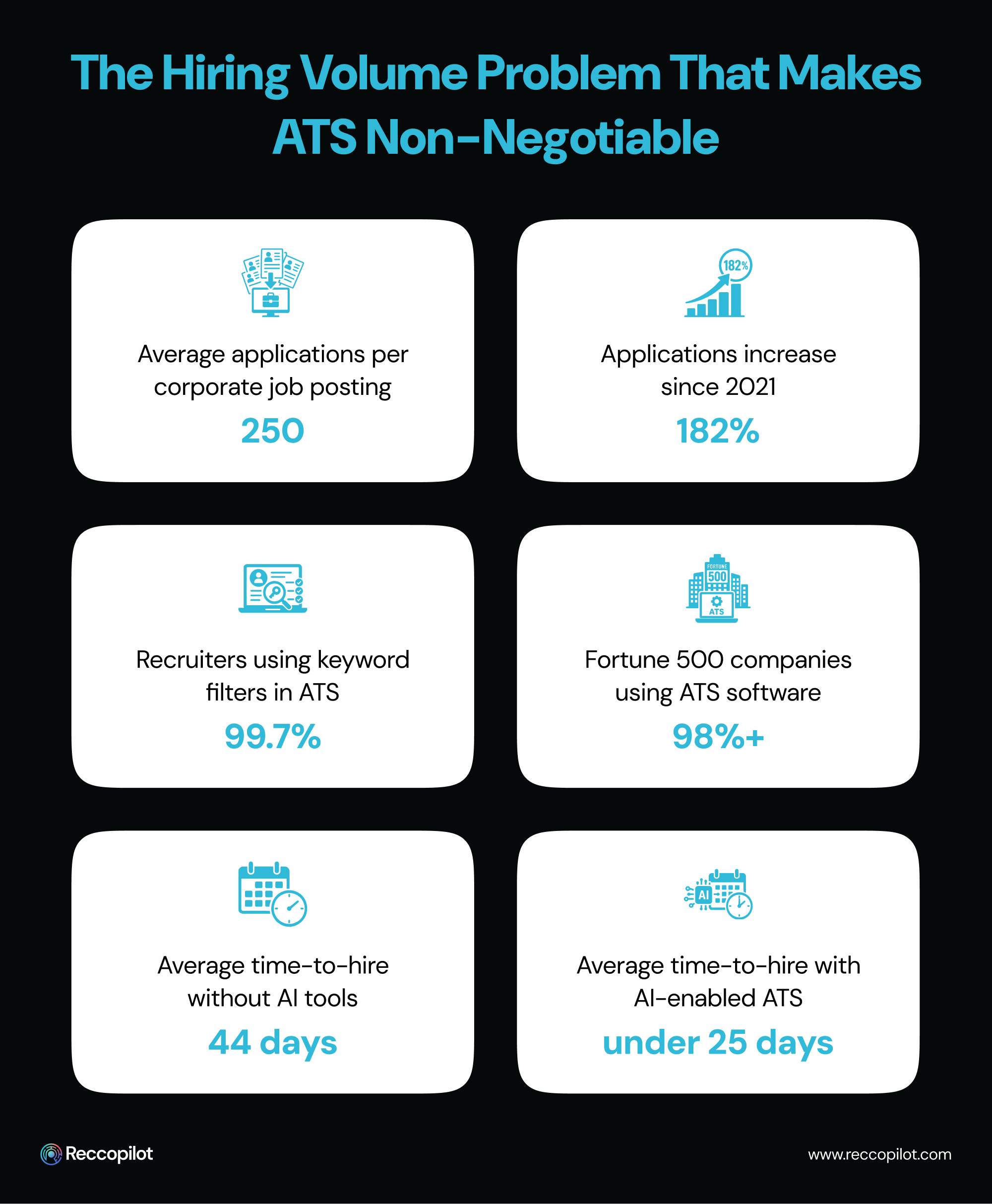
More than 98% of Fortune 500 companies use an ATS to manage their hiring processes. But it's not exclusive to large-scale organizations any longer - the volume problem (too many applications, too little time to manage them accurately) exists at every company when the hiring process picks up.
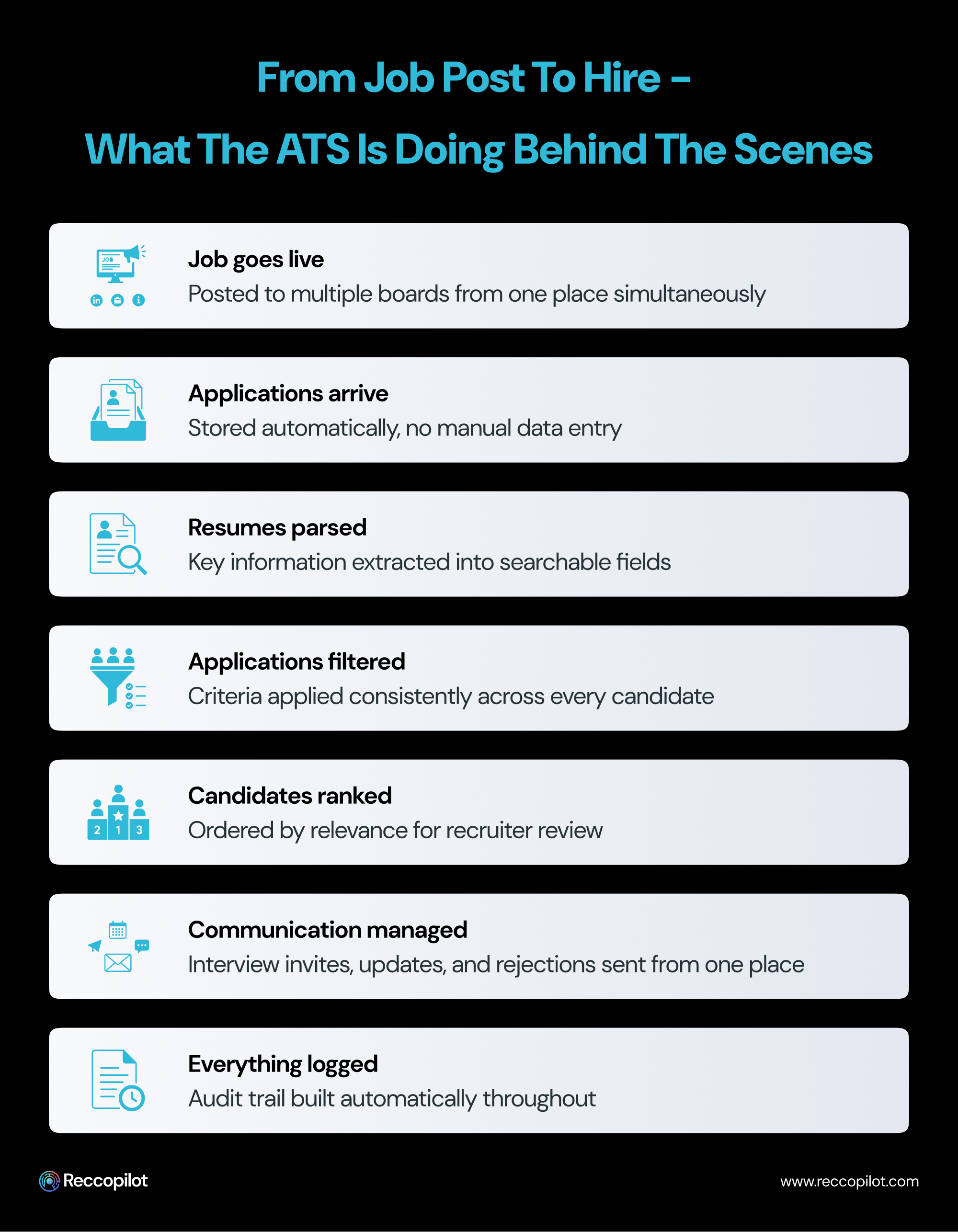
Most people know there is some kind of ATS involved at some point in the hiring process, but what it actually does and the value it provides at each step can be surprising.
When a candidate applies - from your careers page or a job board such as Indeed or LinkedIn or any other source - the application ends up in an ATS database. The application details are saved there for record-keeping purposes, including the contact information provided, the resume, and any cover letter or additional information included. The source the application came from and what role the candidate applied for are also captured automatically; nothing is manually entered into the applicant tracking system.
Each resume attached to an application is parsed for relevant information and saved in a structured way within the ATS, making it possible to search through hundreds of applications for particular details without manually opening each resume.
The ATS can filter applications by specific criteria based on the requirements for the role, such as location, years of experience, or certain skills. According to a survey conducted by Jobscan, 99.7% of recruiters use keyword filters in their ATS to identify candidates to interview.
Each candidate has a status within the ATS, from applied to under review to shortlisted and interviewing to hired or rejected. This makes it possible to keep track of where a candidate is in the hiring process and who is responsible for moving them to the next step rather than relying on individual emails or phone tags. This reduces the risk of losing a candidate due to miscommunication, such as a recruiter going on maternity leave and not being able to access the shared spreadsheet where a candidate's status was noted.
Interview invitations, rejections, and status updates can all be sent to candidates from within the ATS. This reduces clutter in inboxes while still providing the necessary communications to candidates. Templates can be used for status updates, and automated triggers can be used to keep candidates informed at each stage in the hiring process rather than asking a recruiter to send each email individually.
Every interaction with a candidate is stored within the ATS, making it possible to fulfill any compliance requirements by demonstrating who spoke to a candidate, when, and what was said. This creates a valuable audit trail for any hiring process while also generating data insights that can improve the efficacy of the hiring process. Which job boards generate the best candidates? How long does each stage in the hiring process take on average? Where are candidates getting stuck? This data is invaluable to improving the hiring process.
Most recruiting teams start with spreadsheets. A different sheet for each role and columns for candidate names, application status, interview dates, and any additional information or notes. It works well enough for a couple of roles at a time. But as soon as the volume of hiring increases, the same spreadsheet is often being updated by two different recruiters simultaneously.
Application status information can get out of sync, and notes are often kept in a different document altogether. And a candidate who was outstanding three months ago but didn't make it into the final round for the first role is impossible to find again because there's no search functionality across all sheets, only manually-entered comments.
This is when most teams decide to switch to an ATS system, at least in part because spreadsheets were never intended to be used this way in the first place.

Making the switch from spreadsheet to ATS tracking system is less about the features offered and more about the point when managing that spreadsheet simply becomes too much to handle manually any longer.
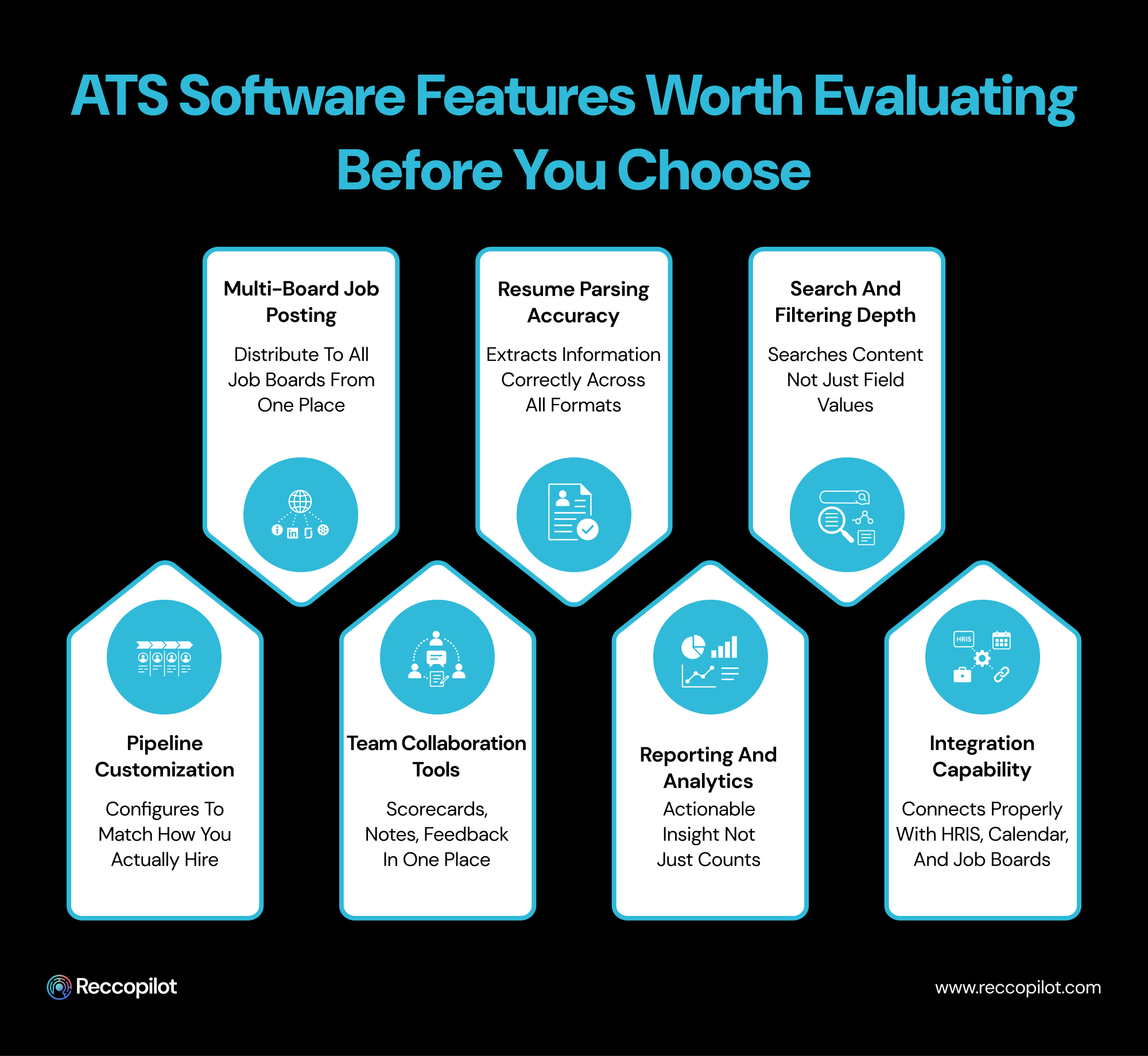
Not all ATS software is created equal, and the features lists on various vendor sites tend to run together after a while. Here are the capabilities that matter most in terms of day-to-day use of an ATS:
If you're using an ATS, it's typically because you have more than one job opening at a time. Posting jobs on multiple job boards simultaneously rather than individually saves time while ensuring all applications are received in one place.
The ability to parse through resumes is often tested in the same way - by pasting a resume into the ATS and seeing if it pulls the information correctly. But the parsing capability is actually much more important for accurately representing candidates within the ATS. A resume that was poorly-formatted in Word or PDF will be misrepresented, resulting in an inaccurate representation of that candidate's qualifications.
The ability to search through all candidates, not just those who have applied for a particular role, is often overlooked but ultimately determines how quickly a role can be filled. If there is a candidate who is an excellent fit for the role but only applied for a different one, they will be much easier to find within the ATS if there is a search function.
Every company's hiring pipeline is different, and the ATS should reflect the specific needs of the hiring team rather than the other way around. Some companies have very few steps in their hiring process, while others have more. Customization should be available at every stage rather than using a generic template.
Scorecards, shared notes, and opportunities for feedback from multiple recruiters reviewing a candidate are essential for effective collaboration.
Time-to-hire, source performance, and stage conversion rates are just a few examples of the reports that can be generated by an ATS. Without that information being presented clearly, it's challenging to determine what is working and what needs to be adjusted.
Calendar syncing for interview scheduling purposes or ATS-HRIS integration to ensure candidates who are hired move directly to the onboarding process are examples of the value of effective third-party software integration. The more an ATS can work with other tools, the more effective it is.
Picking an ATS is not a matter of finding out which solution has the broadest set of features or the slickest UI. The right ATS is determined by what your team will actually use on a daily basis. A good fit is not about generic hiring practices; it’s about how you do hiring.
There are several ways to narrow the search and pick the best applicant tracking system for your business.
If your team’s main concerns are related to scattered information and a lack of oversight of the hiring process, look for solutions that offer broad organizational capabilities. If your recruiters spend too much time reviewing applications, prioritize search and filtering. Understanding the problems an ATS has to solve for you will help you pick the solution that fits like a glove.
The search function within an ATS is often taken for granted, but it becomes the difference between success and frustration when the system contains more data. Whenever possible, try searching for the specific terms you and your recruiters use on a regular basis.
Many ATS vendors will boast about the degree of a third-party software’s compatibility with their own product. However, the actual implementation process will reveal that most companies provide very limited levels of support. Ask about the specifics and clarify whether the two systems exchange data seamlessly or if the data has to be re-entered manually.
Most often, the person testing an ATS is not the same person who will be using it. Recruiters can learn a lot about the interface and its general intuitiveness during their trial. However, the experience of the hiring managers that have to provide feedback, leave comments, and ask for feedback is equally important. A solution that confuses all but a few people in the office may not be worth the headache.
Your ATS represents your company to the candidates, so this is a good opportunity to make an impression. A disorganized, unintuitive, and non-mobile-friendly application may turn away prospects long before they meet a single recruiter. It is a good idea to test drive the application process yourself to see its advantages and disadvantages.
The success of ATS implementation depends heavily on how much attention the company will dedicate to the users’ needs. If the implementation is rushed and left to chance, the new system is very likely to gather digital dust within months. Ask what kind of support you will receive to fully comprehend the scope of the onboarding experience.

Being brutally honest about what traditional ATS software doesn't do well is actually beneficial to the conversation, because most recruiters who use an ATS have the same frustrations.
Traditional ATS systems excel at organizing the hiring process, but they are much less effective at analyzing the information to help make better hiring decisions. The screening functions that do exist are entirely dependent on the information entered into the system, which typically means the criteria were defined by a hiring manager months or even years ago for a completely different role.
Keyword-based filtering creates another issue that all recruiters eventually encounter. Strong candidates who use slightly different language than the hiring manager or recruiter is looking for get filtered out automatically, while weaker candidates who include the exact keywords make it through to the next step.
This is precisely where AI-powered ATS systems are designed to be exponentially more effective. Instead of simply filtering out candidates based on keywords, an AI ATS can recognize context and nuance. Instead of defining strict criteria and only considering candidates who fit those specific requirements, an AI ATS can rank candidates based on how well they fit the role, with stronger candidates rising to the top of the shortlist. And instead of waiting for a recruiter to determine the next step, an AI ATS can take action on its own.
The short answer is anyone who does any hiring more than occasionally.
Very small teams that only hire sporadically can get away with using spreadsheets, but the moment there are multiple roles opening at the same time or more than one person involved in the hiring process, an ATS becomes invaluable. The same goes for any volume of applications that makes tracking each one manually too time-consuming to be practical.
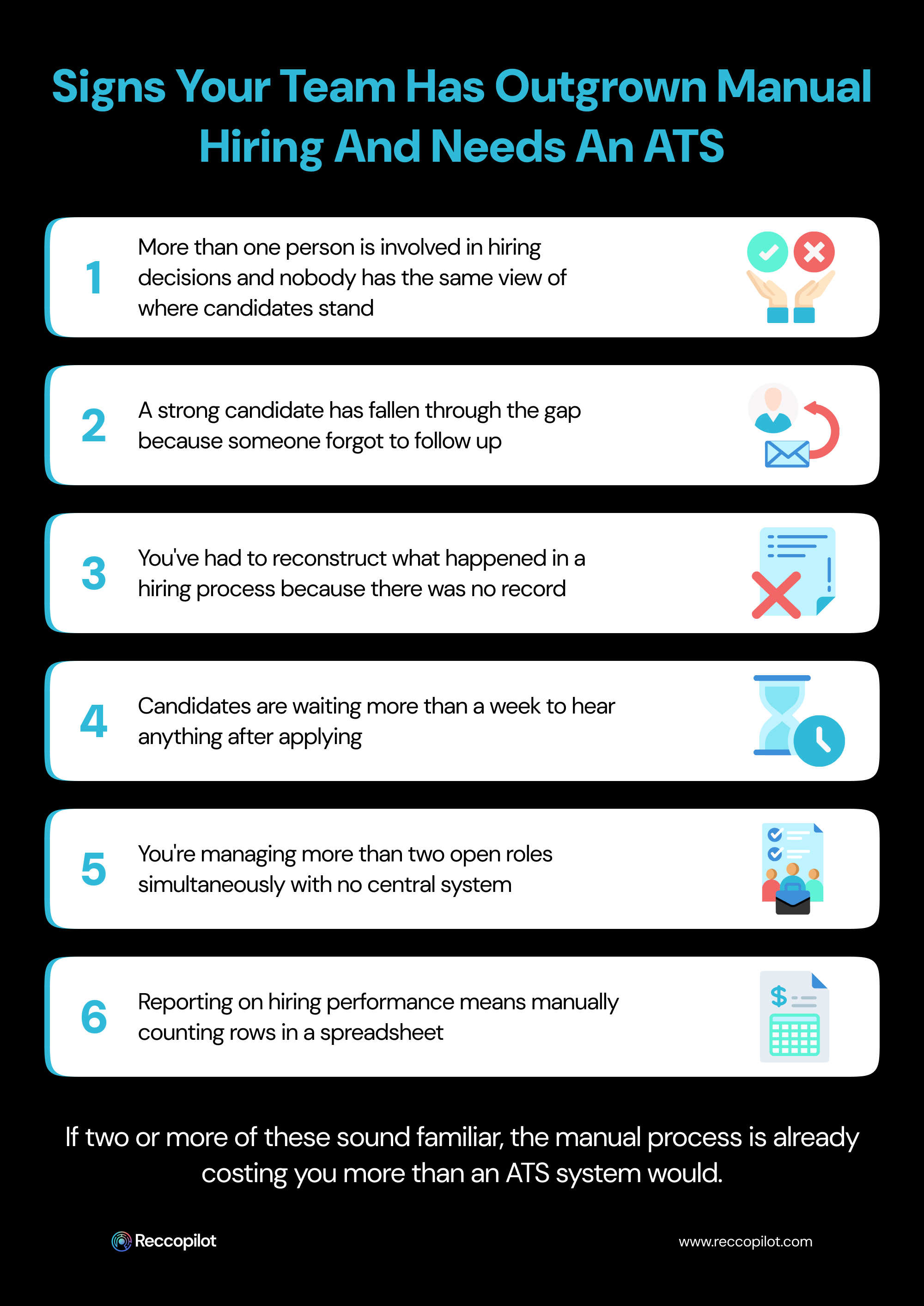
The reason for adopting an ATS is typically one of three issues. Either the volume of applications makes organizing them effectively too time-consuming, a compliance requirement dictates that proper documentation and audit trail be maintained, or there have been multiple instances where promising candidates slipped through the cracks of the manual process.
With dozens of ATS software options to choose from, here are a few specific criteria that should be considered:
An ATS is where almost every aspect of hiring takes place today, starting with the applications and candidates. Knowing what the best and worst practices are for each step is the most effective way of determining which ATS software is right for you, and how to use it effectively rather than simply replicating the shortcomings of a spreadsheet at a much higher price point.
The best ATS systems aren't determined by the number of features but rather by the ability to customize the experience according to how your team completes the hiring process while also providing valuable data insights to improve that process over time.




