


AI-Powered ATS for Staffing Agencies.
From Job Intake
to Offer.

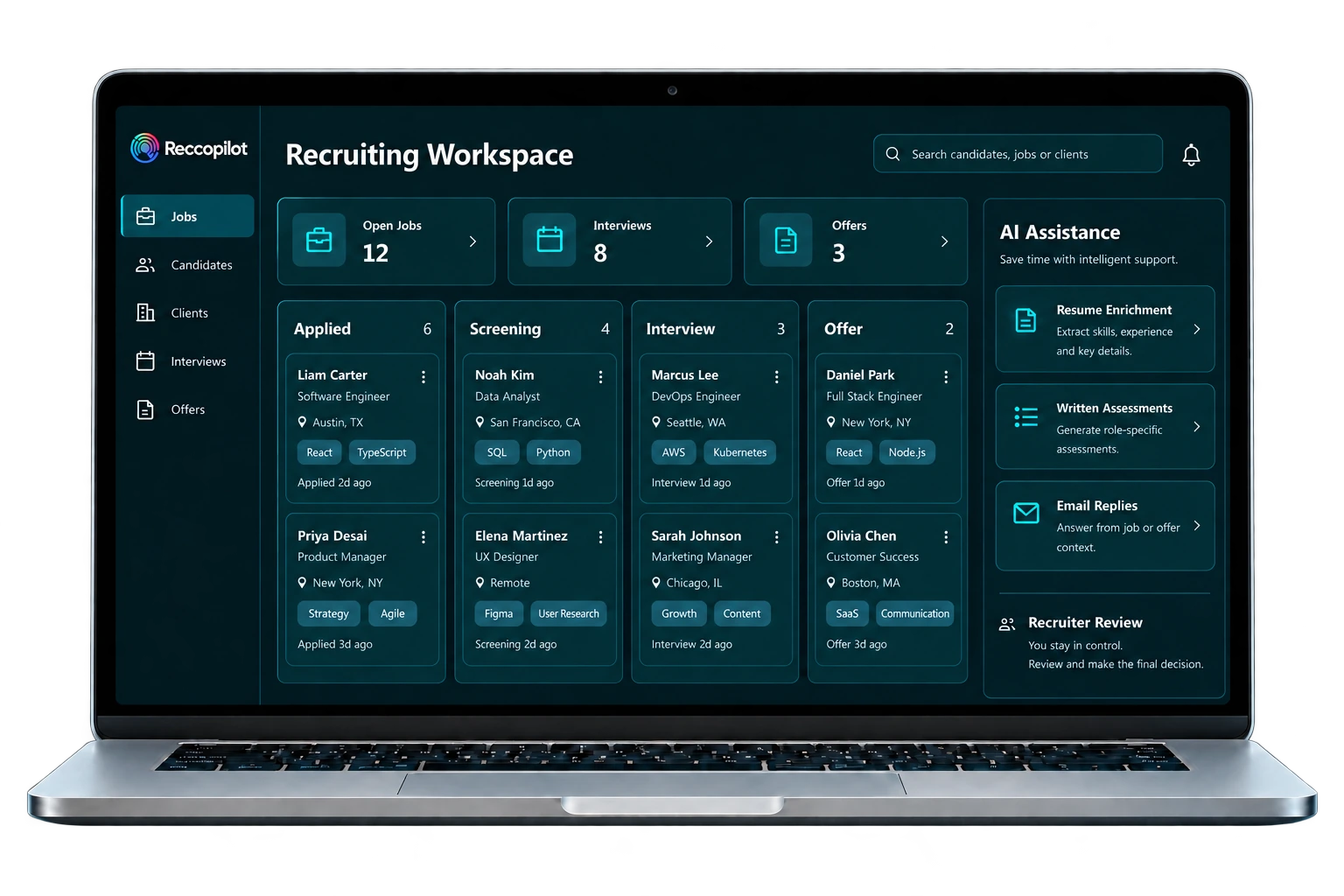
Reccopilot is an AI-powered applicant tracking system for staffing agencies and recruiting teams, powered by OnBlick. Enrich resume data, generate written assessments and keep candidate conversations moving with AI calls and contextual email replies. Manage jobs, clients, interviews and offers in the same workspace, with recruiters guiding the next step.


.svg)



Numbers That Matter
AI-driven Hiring automation that boosts hiring speed, efficiency, accuracy & quality
70%
faster Hiring
50%
cost savings per hire
3X
qualified candidates
90%
Candidate Accuracy
PRODUCT WALKTHROUGH
See Reccopilot in Action
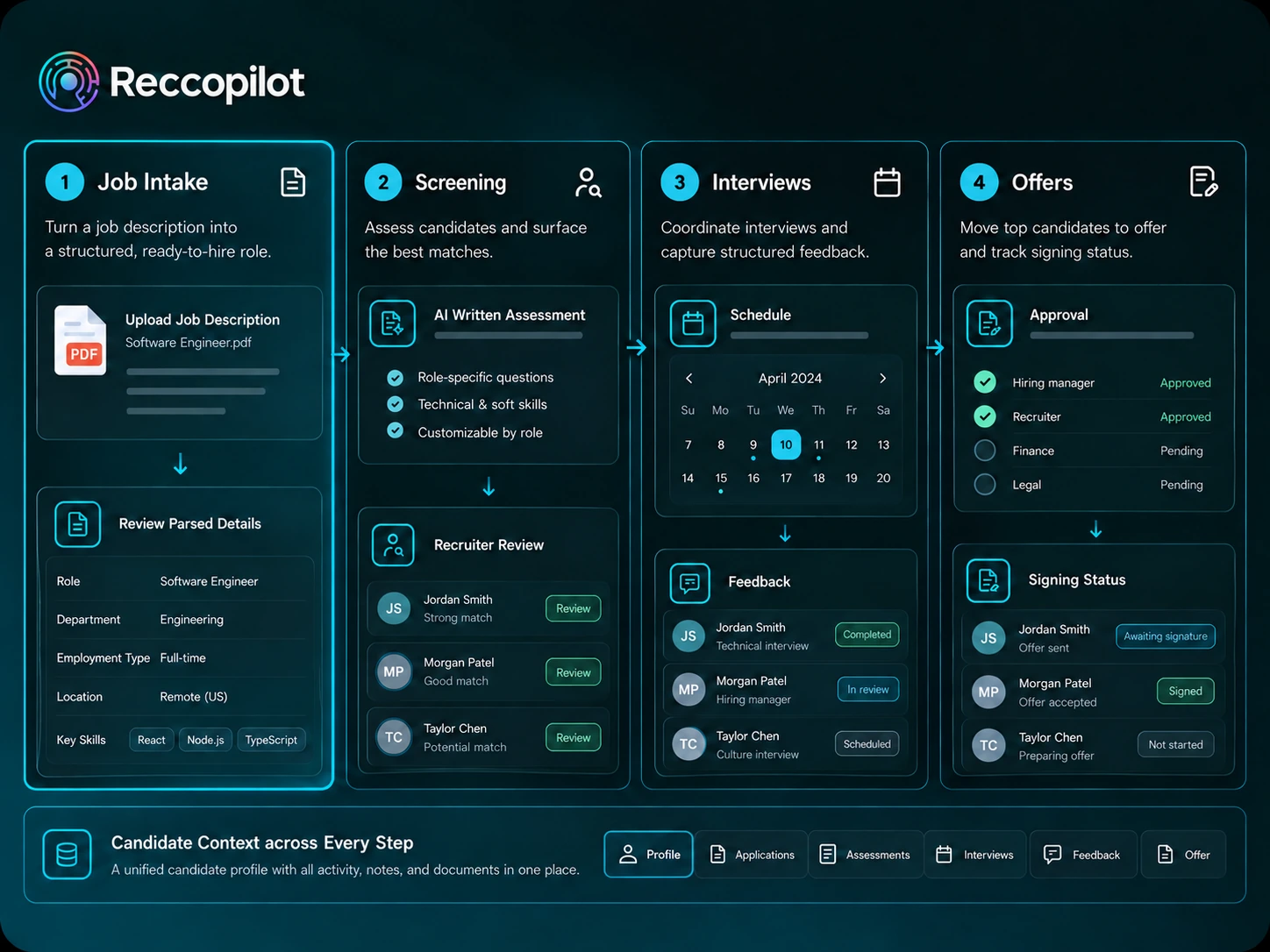
Follow a job from the first requirement to the final offer. See how AI helps parse resumes, generate written assessments and answer candidate emails, while recruiters review results and manage interviews, clients and offers.
BUILT AROUND STAFFING WORK
Bring The Context into Every Recruiting Step
An ATS for recruitment agencies needs useful information and a practical next step. Reccopilot combines AI-assisted parsing, matching and candidate engagement with the job, conversation and client context recruiters need to act.

Turn Resumes into Usable Records
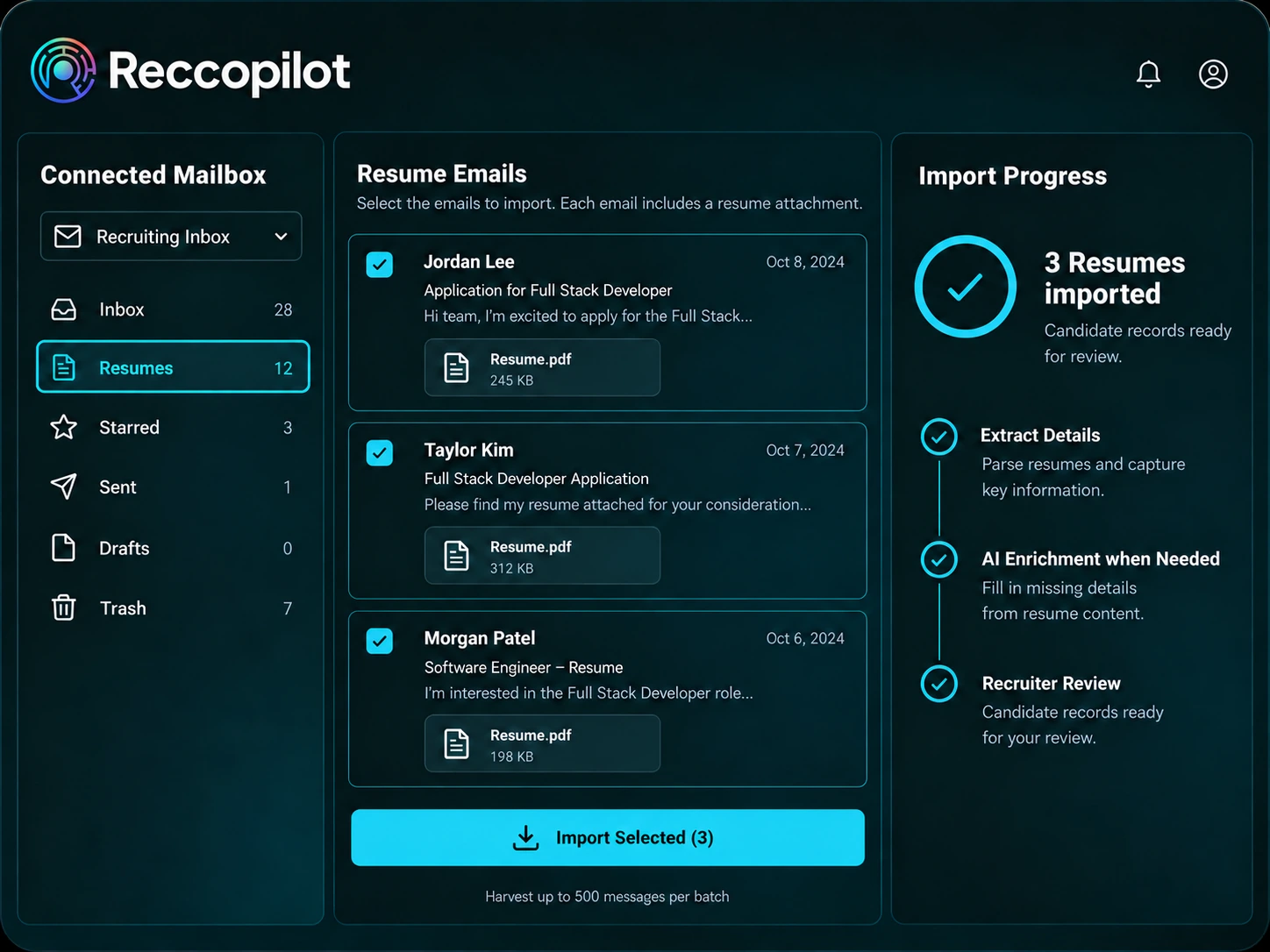
Import resumes from email into your candidate database. Parsing extracts key resume details, with AI enrichment when needed. Recruiters can review the extracted records before using them.
.svg)
Review The Factors behind A Match
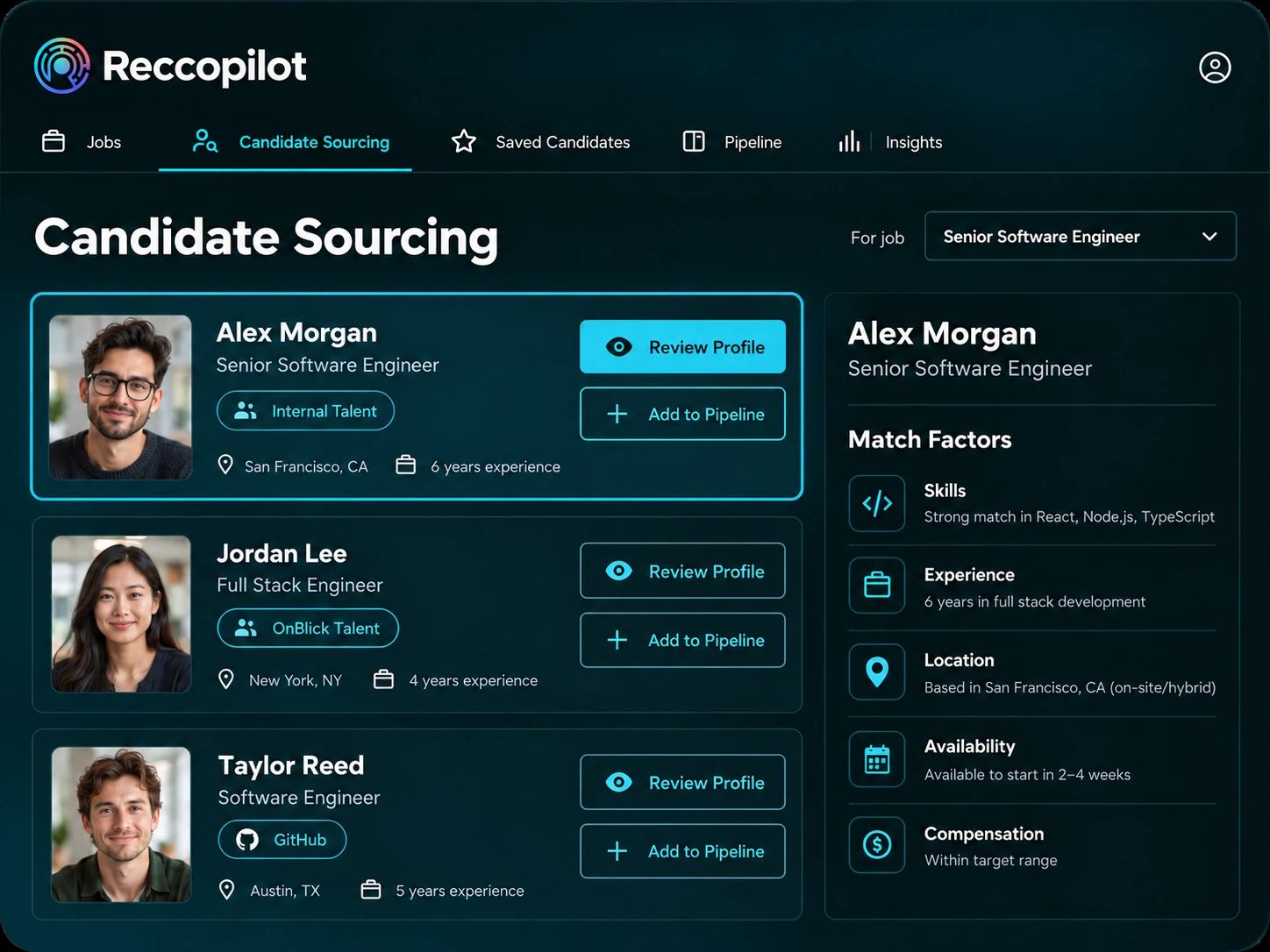
Find candidates in your database and connected sources, including the OnBlick Talent network, job boards and GitHub. Review AI match factors for skills, experience, location, availability and pay.
.svg)
Keep Client Details Close
Organize account contacts, commercial documents, related jobs and candidates. Review account reports alongside the recruiting work they describe.
.svg)
Define Each Vendor's Access
Authorize vendors for specific jobs and review candidate packets through the vendor workflow. Track submissions across your recruiting jobs.
.svg)
Screen and Engage with AI
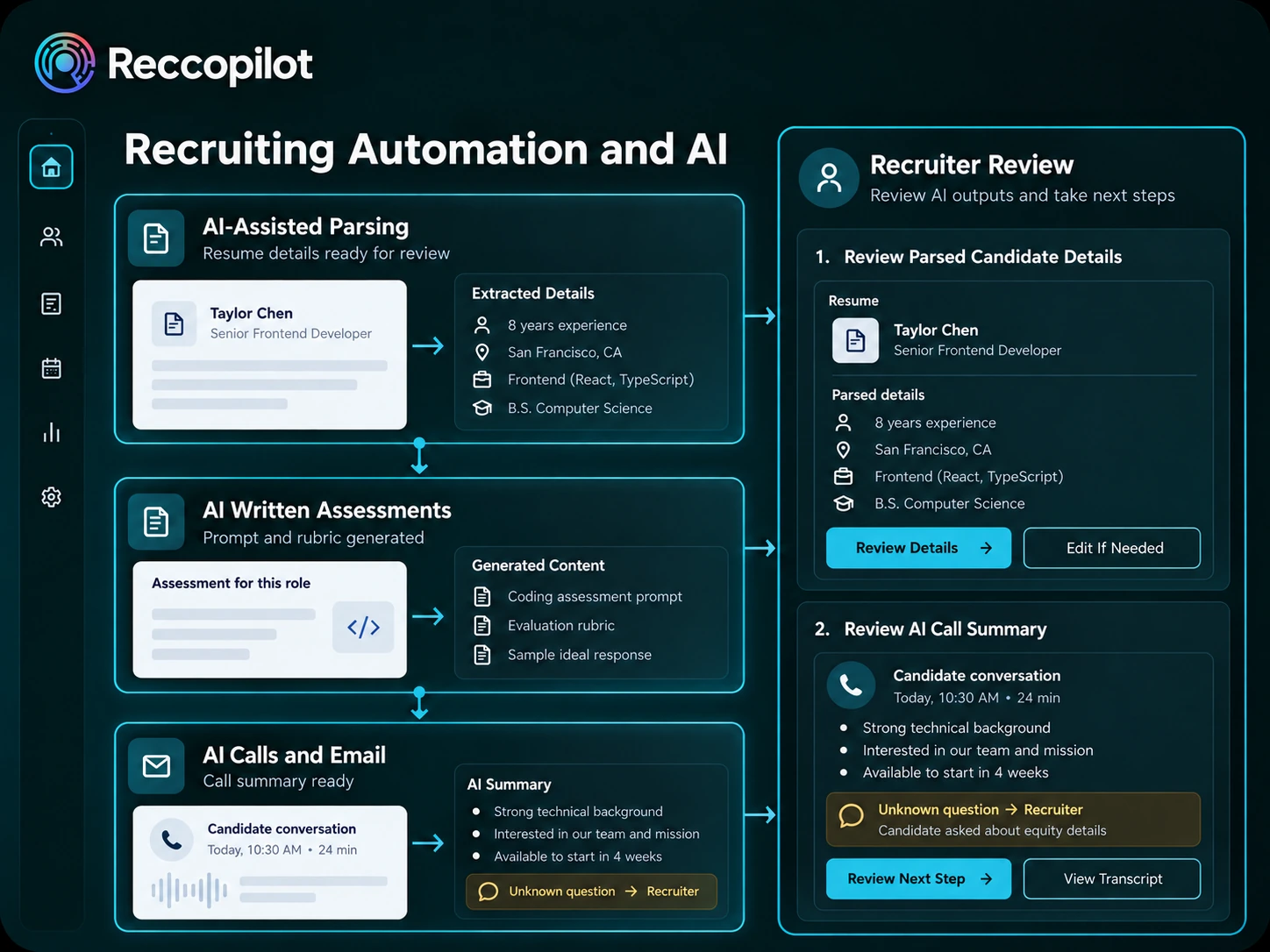
Generate written tests and rubrics, use template-led AI calls with summaries, and answer candidate emails from known context. Questions outside that context return to a recruiter.

Spot Stalled Recruiting Work
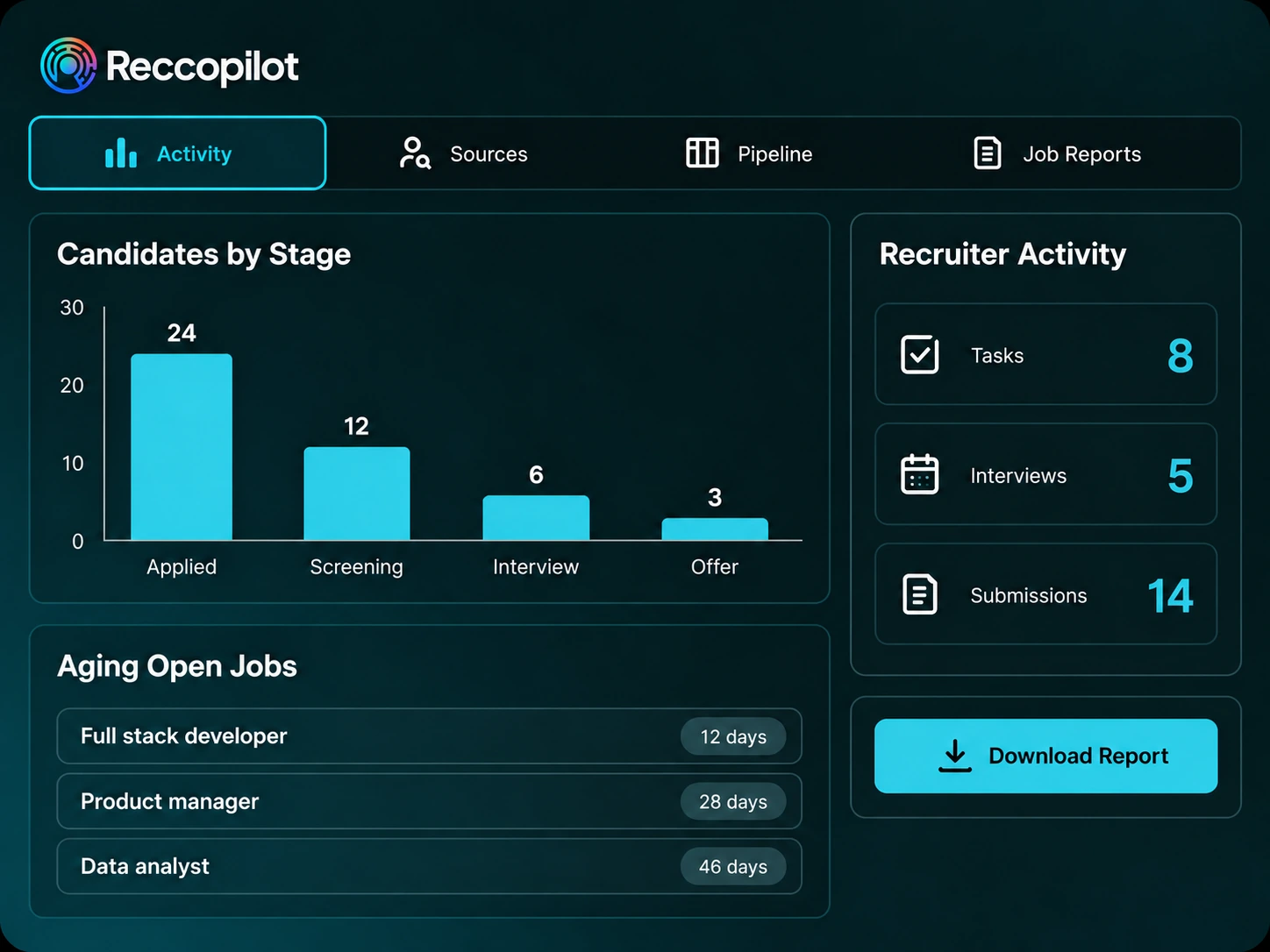
Review open jobs, upcoming interviews, tasks, submissions and offers. Use pipeline and activity reports to find roles that have been open too long and candidates waiting at a stage, then decide what needs follow-up.
Capabilities
The Recruiting Capabilities behind Each Placement
Job Posting and Career Site
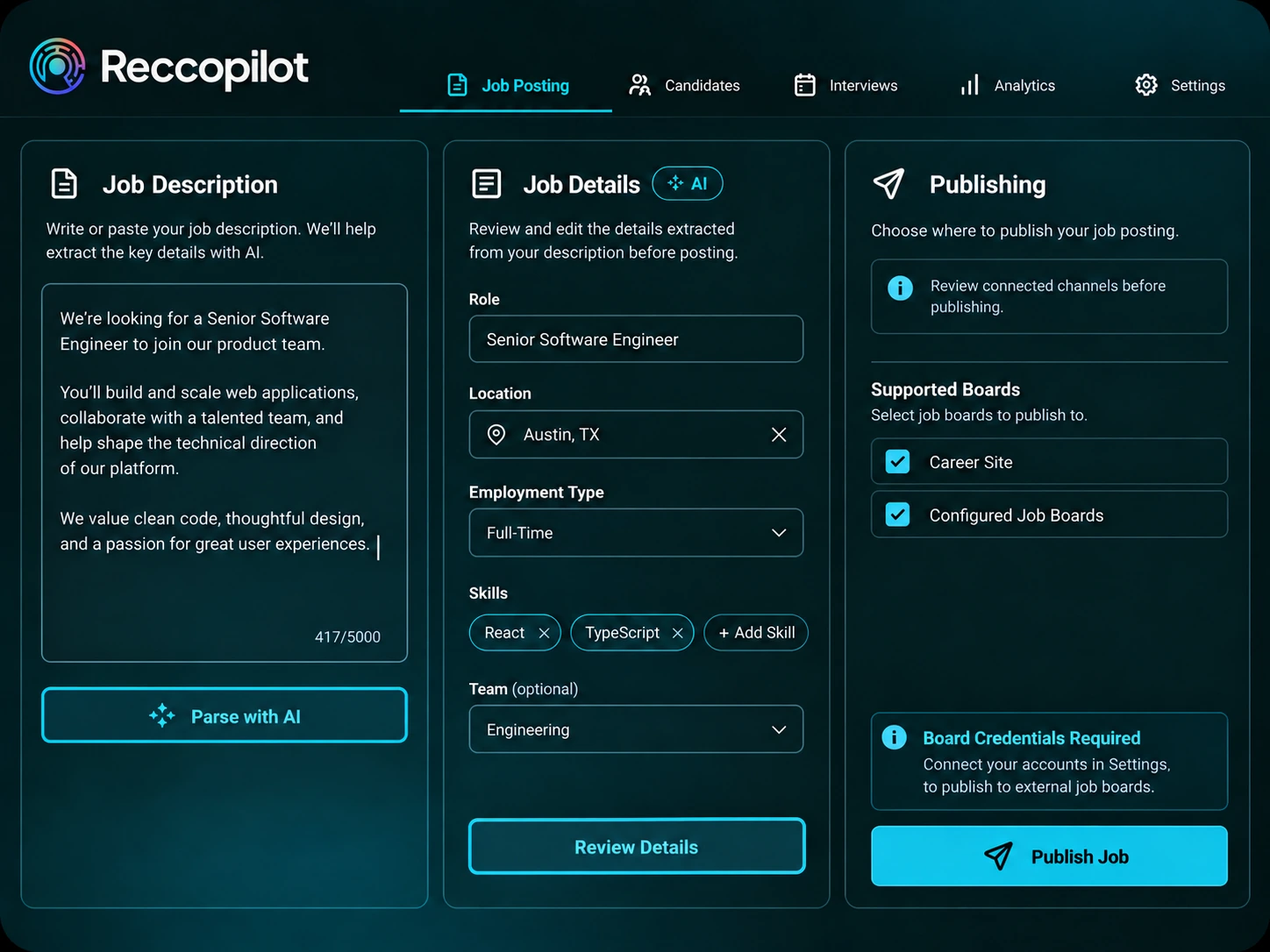
Turn a pasted or uploaded job description into structured job information with AI-assisted parsing, or create the job manually. Publish to your career site and supported boards, then follow applications in the pipeline. Paid boards require credentials and access.
.svg)
Candidate Sourcing and Matching
Build a shortlist using AI match suggestions for each role. Review skills, experience, location, availability and compensation factors, then move selected candidates into the pipeline. External boards may require credentials, access and credits.
Candidate Database and Talent Pools
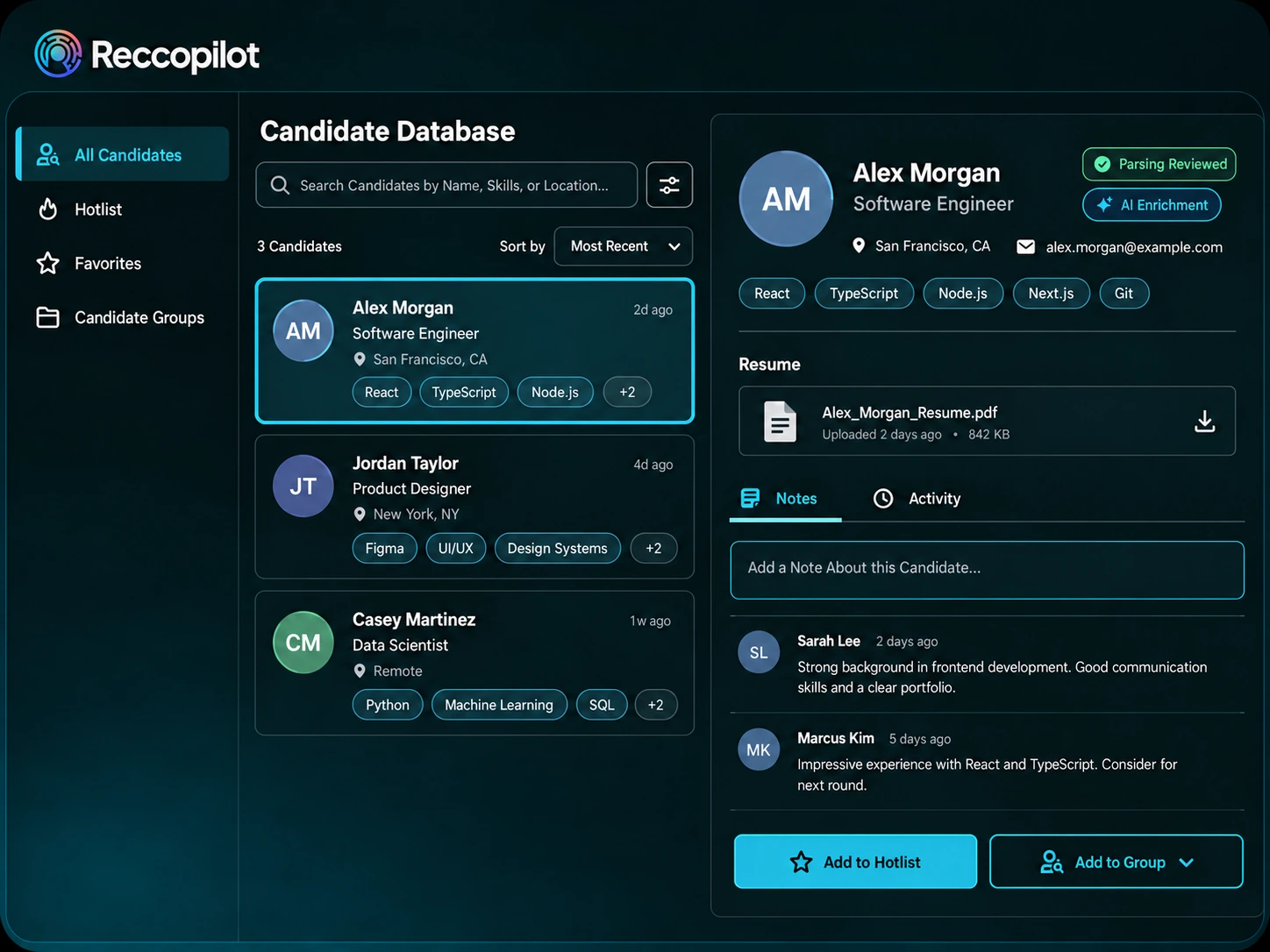
Build candidate records with resume parsing and AI enrichment when needed. Keep resumes, notes and activity together. Organize candidates in a shared hotlist, personal favorites and reusable groups for future openings, outreach or submissions.
Email Resume Import
Import resumes and job requirements from connected Outlook or Gmail mailboxes. Capture selected messages or harvest resume attachments in batches of up to 500 messages. Review candidate records with hybrid resume parsing and AI enrichment when needed.
Candidate Engagement
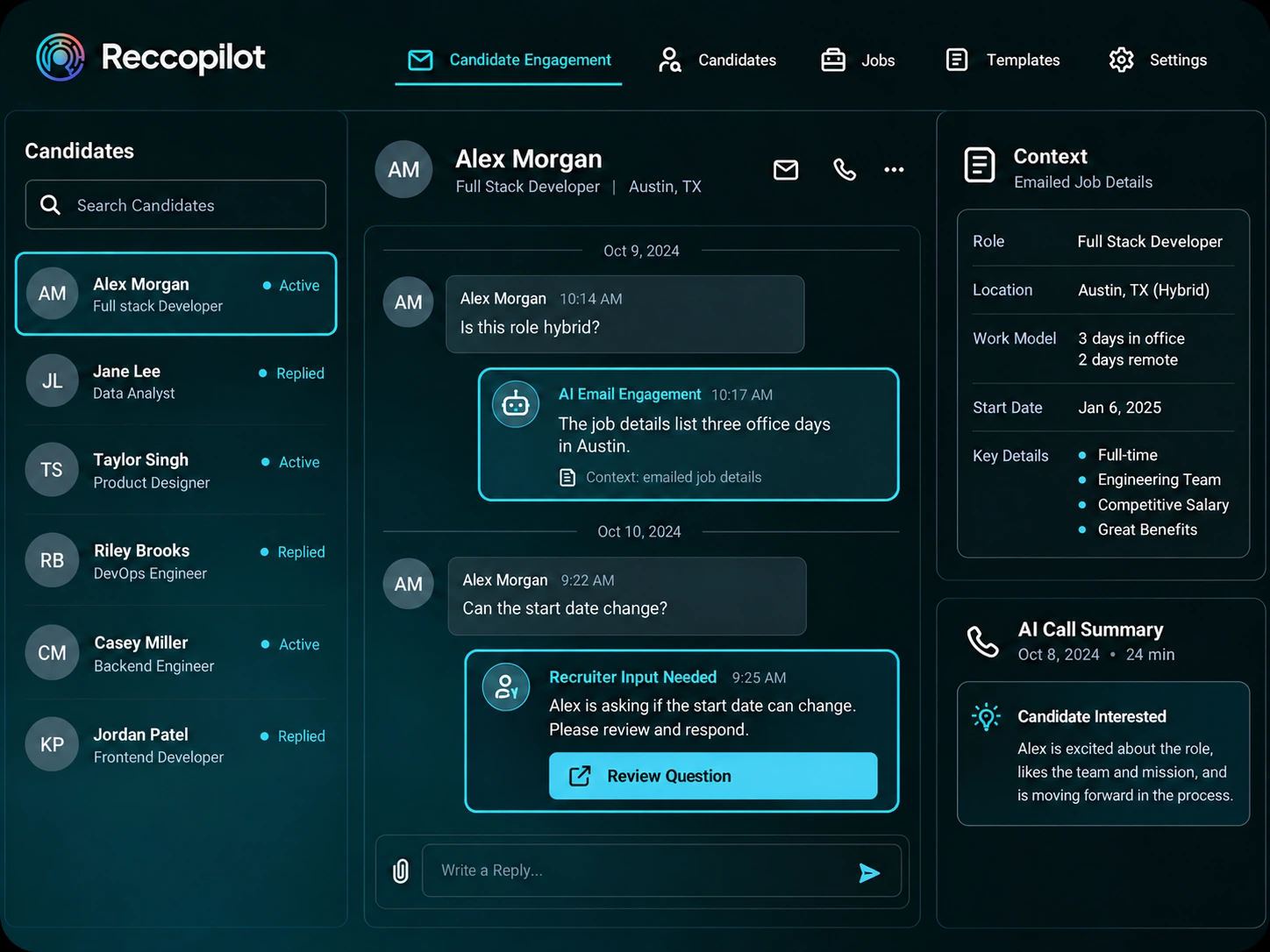
After job or offer details are emailed, AI Email Engagement answers candidate questions from known context and escalates unknowns to a recruiter. Use template-led AI calls with summaries alongside connected outreach channels. Messaging and phone connections require setup.
Screening and Assessments
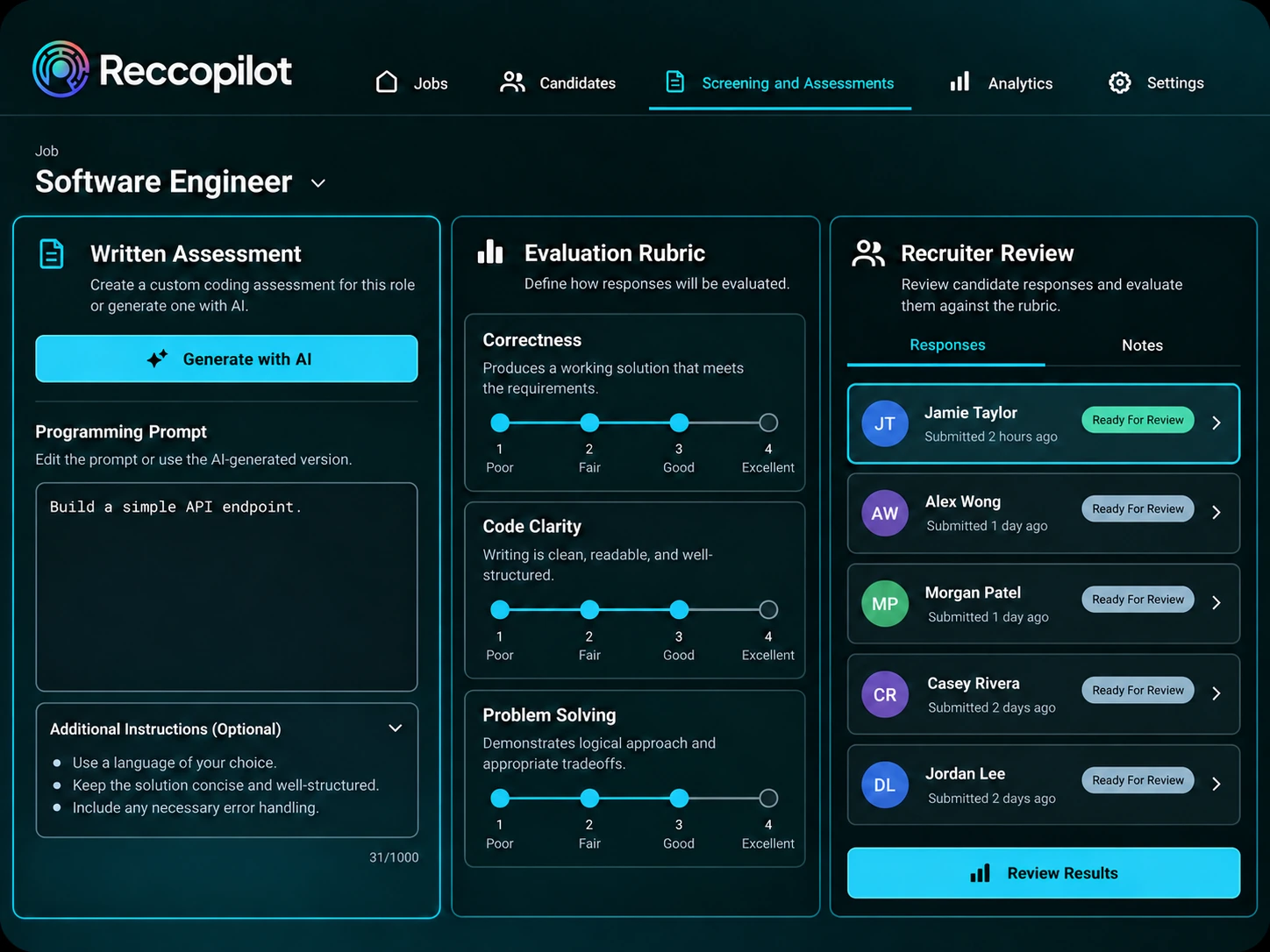
Generate written assessments with AI, including programming prompts and rubrics. Combine results with candidate matching, reusable question banks and early-stage screening responses. Recruiters review the evidence against the role and decide how candidates progress.
Interview Scheduling and Feedback
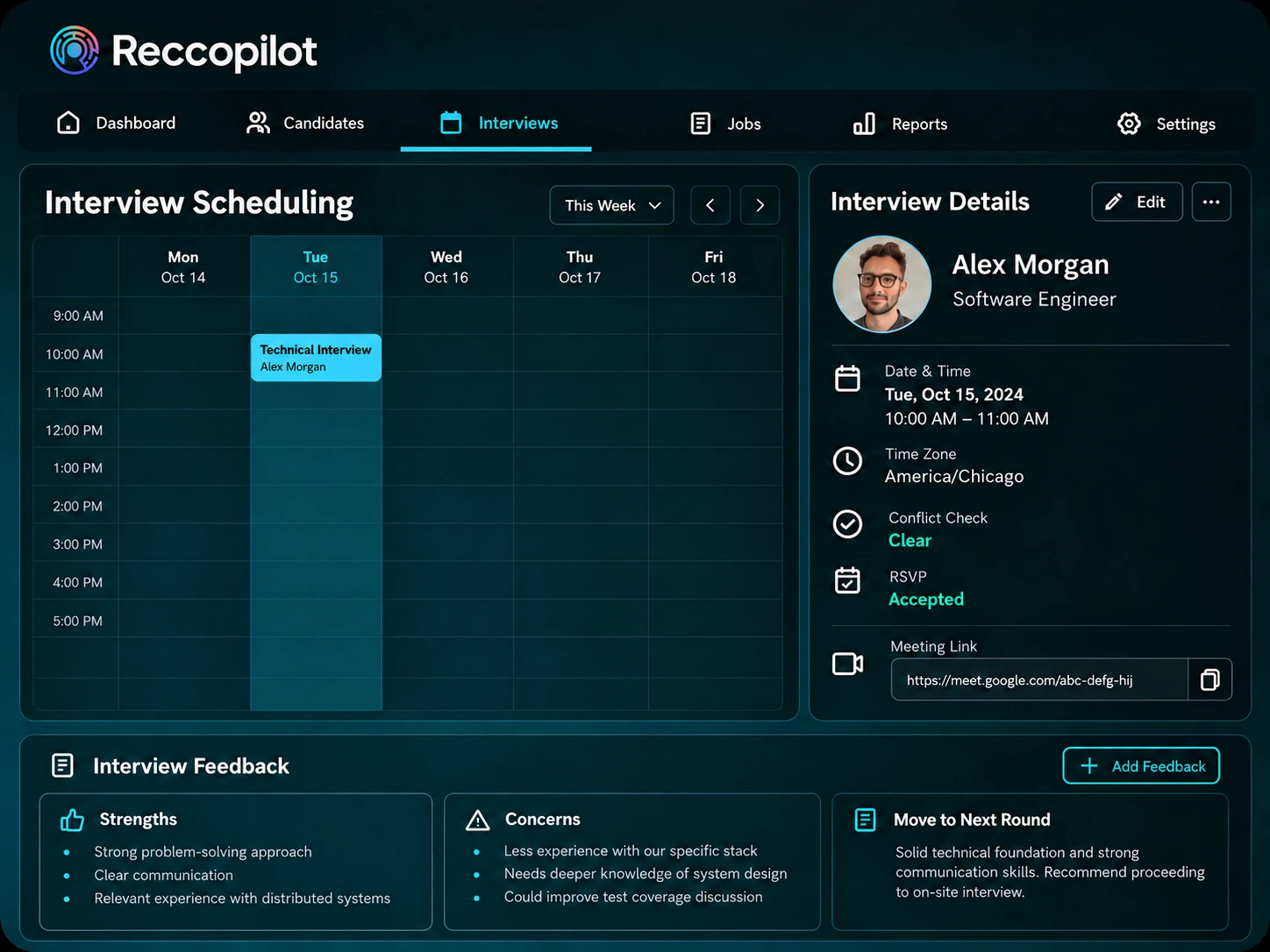
Schedule interviews with timezone support, conflict checks and participant RSVPs. Use connected Teams, Google Meet or Zoom, or the built-in video room. Capture recommendations, scores, strengths and concerns alongside your broader AI-assisted screening process.
Staffing Client Management
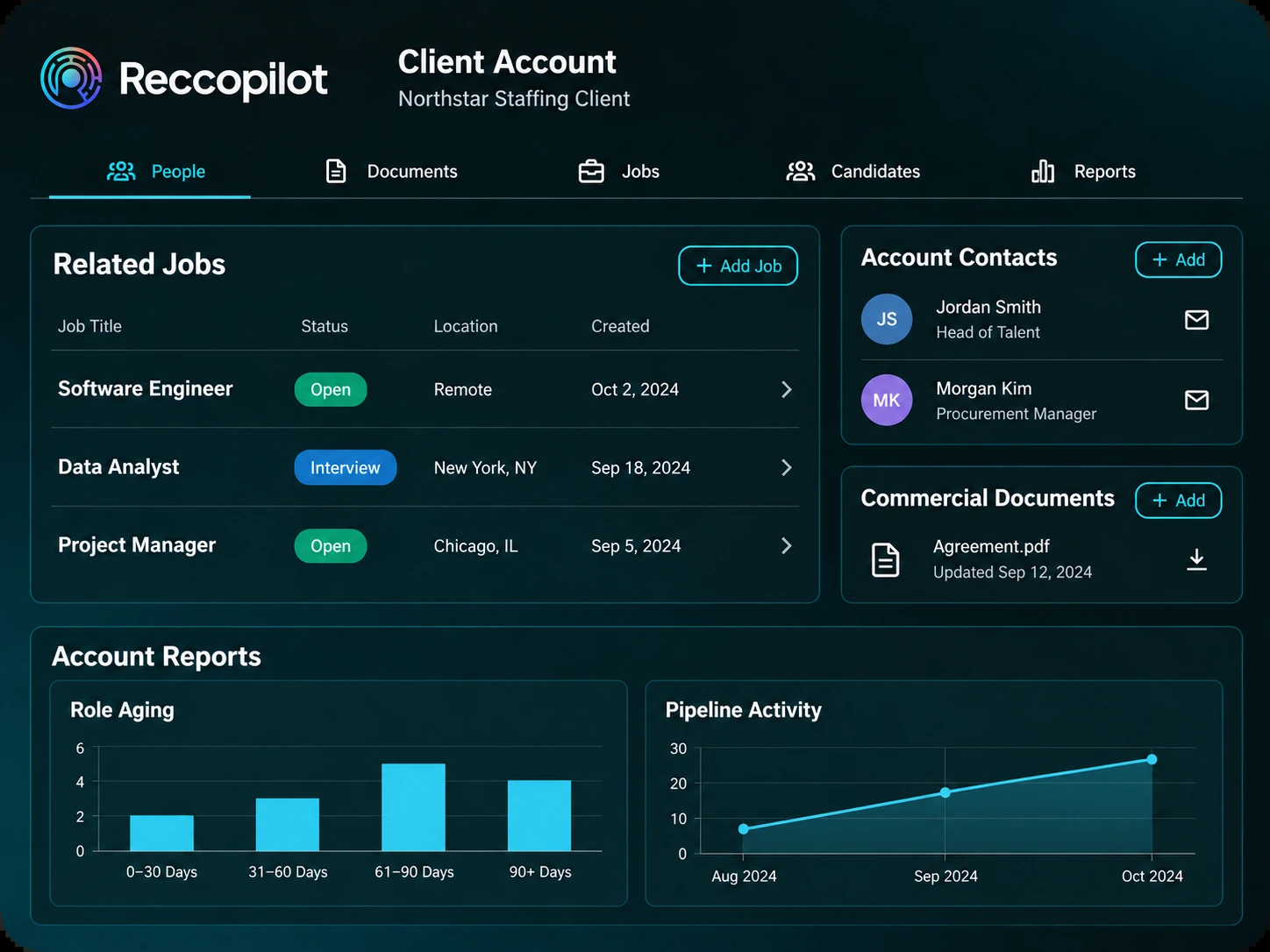
Keep client contacts, commercial documents, related jobs and candidates together. Use account reports to discuss fill rate, long-open roles, recruiting activity and pipeline progress with your clients.
Vendor Submissions
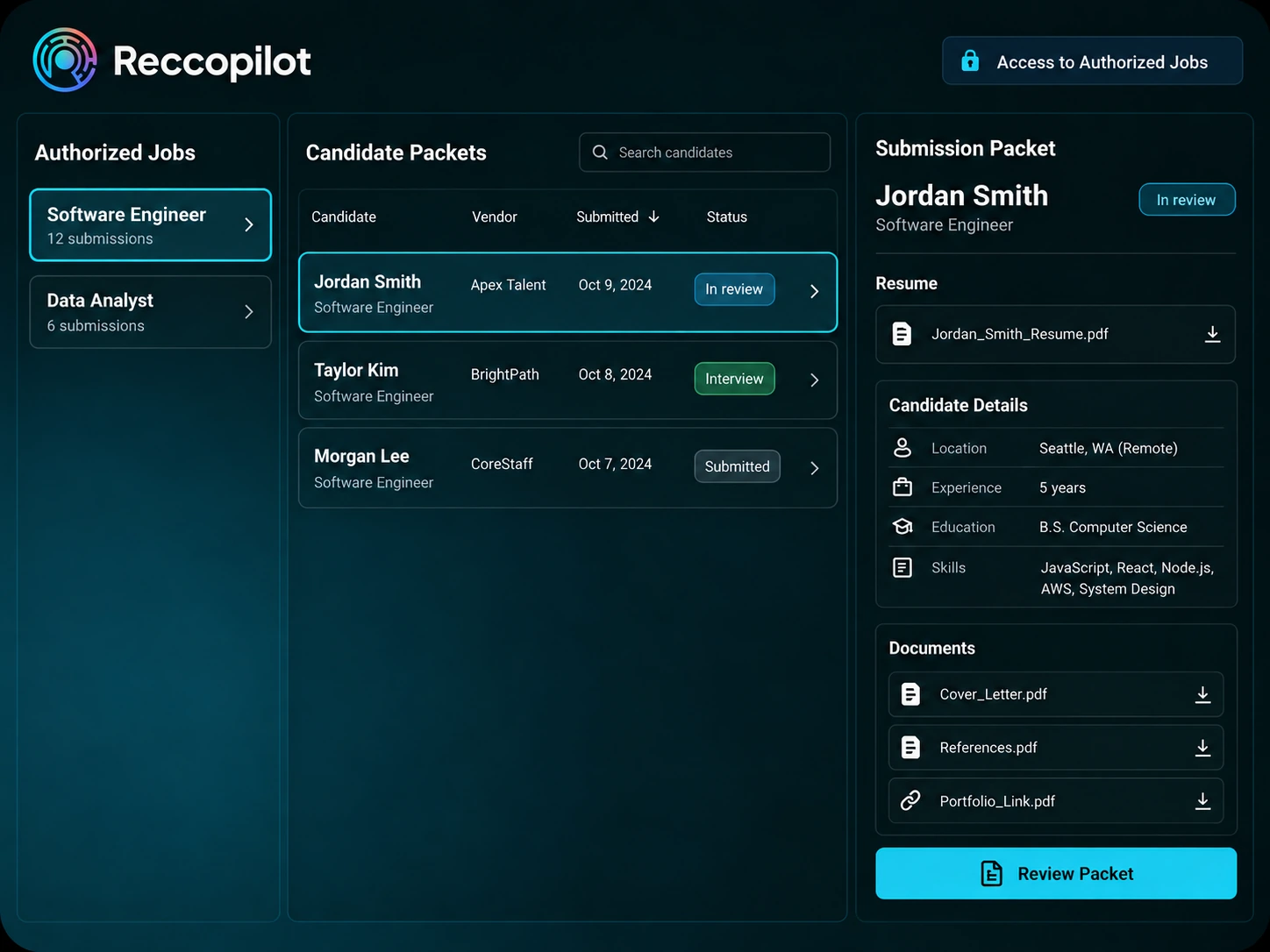
Give vendors access to authorized jobs and review submitted candidate packets. Follow submission status across jobs so your team can see partner participation and recruiting progress. Reccopilot does not provide VMS integration.
Offers and E-Signatures
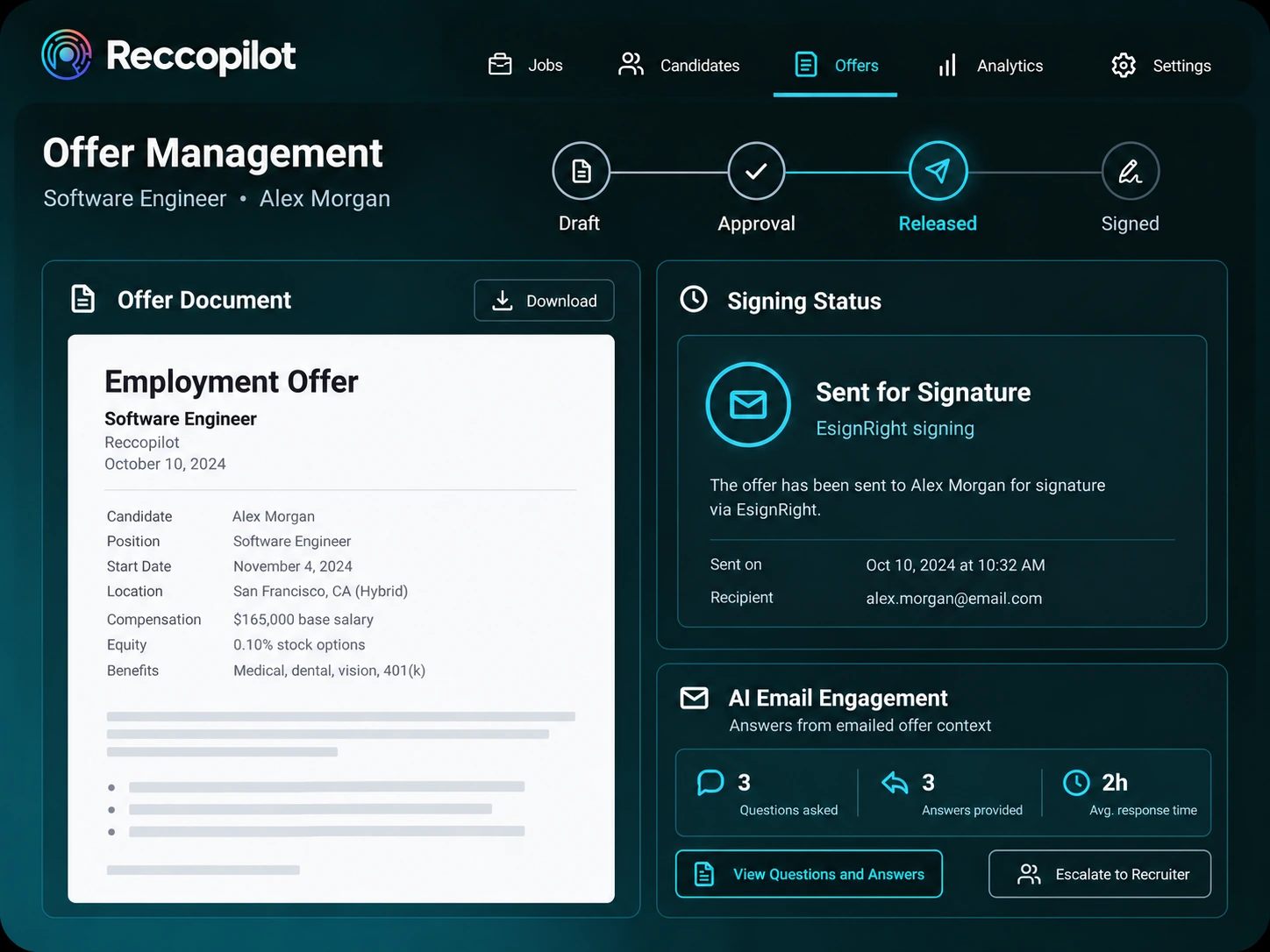
Draft, approve and release offers for EsignRight signing. AI Email Engagement answers questions from emailed offer details and sends unknown questions to a recruiter. Follow signing status in Reccopilot. After acceptance, hand off to OnBlick HRMS for onboarding when your company is connected.
Recruitment Analytics
Review recruiting activity, candidate sources, long-open jobs and stage conversions. Open job and client reports to investigate delays, then download supported reports for team reviews. Reports use the recruiting data recorded by your organization.
Recruiting Automation and AI
Use AI to parse job descriptions, enrich resume data when needed, generate written tests, conduct template-led calls and answer candidate emails from known context. Recruiters review results and handle escalations. When your organization enables Copilot, this in-product assistant answers recruiting questions and suggests next steps within your access permissions.
Connected Recruiting Tools
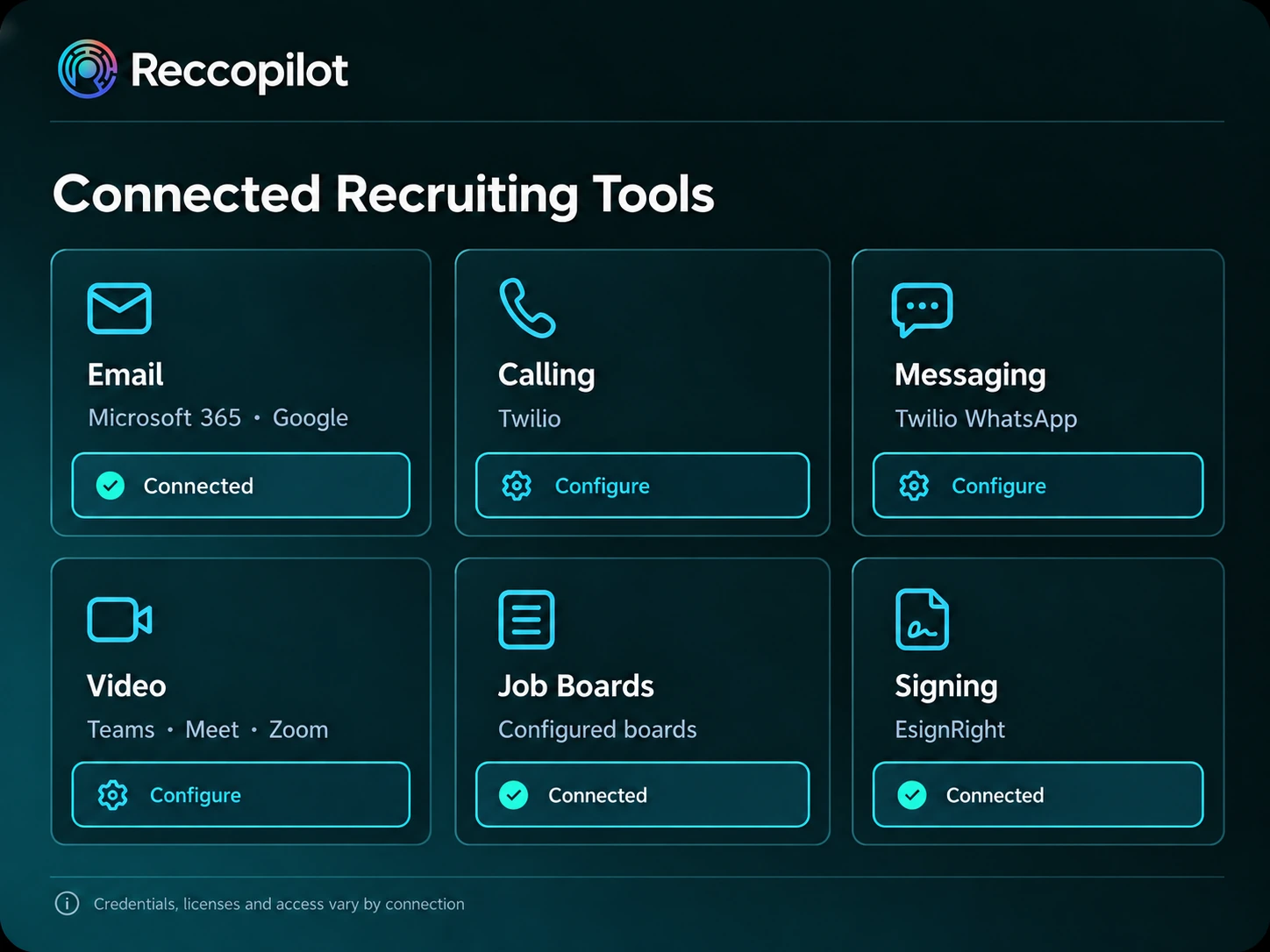
Connect email, calling, messaging, video, job boards and signing to your recruiting workflow. Requirements vary by tool and may include credentials, licenses, access or credits. Your organization must enable Copilot before use. External assessments use configured invitation templates.
Client Testimonials
Why RecruitersTrust Reccopilot
Trusted by top recruiters to simplify and supercharge hiring.

Faster Hiring with AI Precision
“Reccopilot transformed our hiring process. The AI-driven resume screening and automated engagement helped us cut time-to-hire by 50% while improving candidate quality”

Tharun R
Resource Manager, Techlogyx
Smarter Sourcing & Job Promotion
“The Virtual AI Twin for job descriptions helped refine our postings instantly. Automated board integrations expanded our reach effortlessly.”

Akhila M
Strategic Talent Management,
Resource Infomatic Group, Inc
Resource Infomatic Group, Inc
Data-Driven Insights for Better Hiring
“Reccopilot’s AI Recruiting Agent and real-time analytics gave us actionable hiring insights, helping us make smarter recruitment decisions.”

Feroz Khan
Head of Talent Acquisition,
RIG Enterprise Application
RIG Enterprise Application
See How Reccopilot Fits Your Staffing Workflow
See how AI-assisted parsing, assessments, calls and email fit your recruiting process. Walk through jobs, candidates, clients and offers, then discuss the connections and controls your team needs.
FAQs
Questions about Reccopilot
Learn what Reccopilot supports, how AI assists recruiting work and what to check before connecting your team's tools.
What is Reccopilot?
Reccopilot is an AI-powered applicant tracking system for staffing agencies and recruiting teams, powered by OnBlick. It combines jobs, candidates, clients, interviews and offers with hybrid resume enrichment, AI-generated written assessments, template-led AI calls and contextual candidate email replies.
How does Reccopilot support staffing agencies?
Reccopilot connects candidate tracking with client accounts, account contacts, job requirements and vendor submissions. Recruiters can follow work through configurable pipelines while account teams and managers review related jobs, candidates and operational reports.
Can we use Reccopilot for in-house recruiting?
Yes. Reccopilot also supports in-house teams that use staffing-style workflows with clients, vendors and submissions. A demo can focus on the capabilities relevant to your team and help you assess how the workflow fits.
Can Reccopilot import resumes from email?
Yes. Connect Microsoft 365 or Google to import jobs and candidates from selected messages and harvest resume attachments from mailbox folders. Harvesting runs in batches of up to 500 messages; that limit applies to imports, not bulk email sends.
Which AI recruiting capabilities does Reccopilot offer?
AI helps parse job descriptions and enrich resume data when needed. Reccopilot generates written tests and rubrics, conducts template-led AI calls with summaries, and answers candidate emails from known job or offer details. Unknown email questions go to a recruiter. When enabled by your organization, Copilot answers recruiting questions and suggests next steps within your access permissions.
Does Reccopilot coordinate interviews and offers?
Yes. Reccopilot supports timezone-aware interview scheduling, conflict checks, participant RSVPs and feedback capture. Offers follow draft, approval and release stages, with EsignRight signing, status synchronization and revoke controls.
Does Reccopilot include onboarding or a VMS?
Reccopilot does not include VMS support or integrations. Onboarding, I-9 and post-acceptance HR compliance belong to OnBlick HRMS. The HRMS handoff requires an accepted offer and a connected company. Explore Offer Management
Do Reccopilot integrations need additional setup or licenses?
Yes. Requirements vary by connection and operation. Boards can require credentials, partner access or credits; Zoom Phone requires a license and appropriate scopes. WhatsApp uses Twilio with setup and opt-in requirements. Review ATS Integrations
How can we see Reccopilot and discuss pricing?
Request a Reccopilot demo to review the recruiting workflow and discuss your requirements. Ask the team about current pricing, included capabilities and any connection or usage requirements relevant to your organization.
