


What is Document Management System? and Why it Matters for Recruiters
Read Time
10 Minutes
Updated On
July 29, 2026
.jpeg)


Finding documents feels impossible sometimes. That file someone needs now - was it attached to an old message? Tucked inside a drive labeled "Stuff"? Maybe dumped right on your screen, lost among icons. Minutes tick by while clicks lead nowhere. The clock wins again.
Later on, maybe the deal’s set to finalize yet you’re flipping through folders because the signed NDA vanished. Worse still - you’re sprinting toward an offer but the paperwork won’t show up. Every hiring group faces these hiccups when documents aren’t tracked right.
Sure, paperwork feels dull to most people. Yet for hiring groups, good file handling means moving fast instead of digging through folders each week. Smooth processes keep things lawful while saving time otherwise lost hunting what matters. Losing key details can spark trouble later - legal risks pop up when records vanish. A solid system stops small oversights from ruining strong candidate chances.
This blog explains what document management system actually means for recruiters, why it matters more than you think, and how modern document management system software solve the chaos most teams deal with daily.
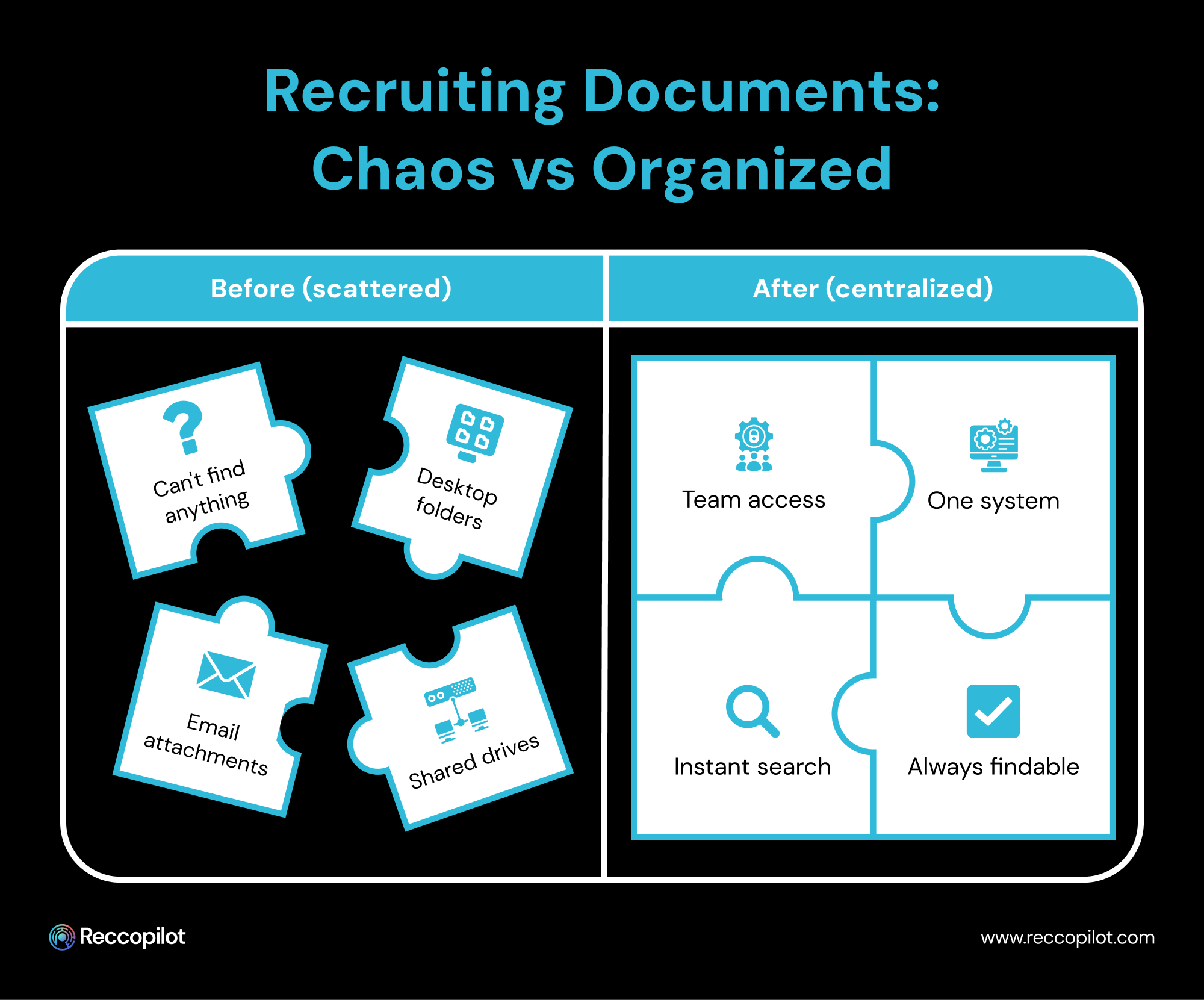
Out there among loose pages and dusty drawers, a better way hides - digital storage gathers files into one clear space. Not stacked high on shelves but lined up neatly where anyone can find them fast. Think less hunting through folders, more knowing exactly where things land. Scattered sheets give way to order when each paper gets its spot online. What once took minutes now takes seconds because searching beats shuffling. Organization shows up not as rules, yet as ease in reaching what you need.
Most of the time, hiring means dealing with piles of papers. Yet everything changes once files move into one clear setup. Each application shows up right away, no digging required. Signed documents sit ready, linked to the person they belong to. Resumes appear fast, pulled straight from order instead of chaos. When someone asks for details, there is no delay - just access.
Imagine tossing every shirt on the floor compared to hanging jackets, folding pants, sorting socks into boxes. One bunch keeps things hidden while the other helps you grab exactly what fits. Space gets used either way, yet only one gives clarity when rushing out. Piles don’t vanish, they just wait until order shows up.
What is a document management system? Think of it like a smart folder on your computer. Stuff files into it, watch them get sorted automatically. Tags appear without asking, labels pop up where needed. Need an old invoice? Try typing a word, maybe a date. Results show fast, no more clicking endlessly through drawers. Finding things feels less like hunting, more like pointing.
Out of control paperwork piles up fast when hiring people, unless there is a clear way to handle it. Seeing how messy things get makes it obvious-document management solutions aren’t extras, they’re required for today’s hiring work.
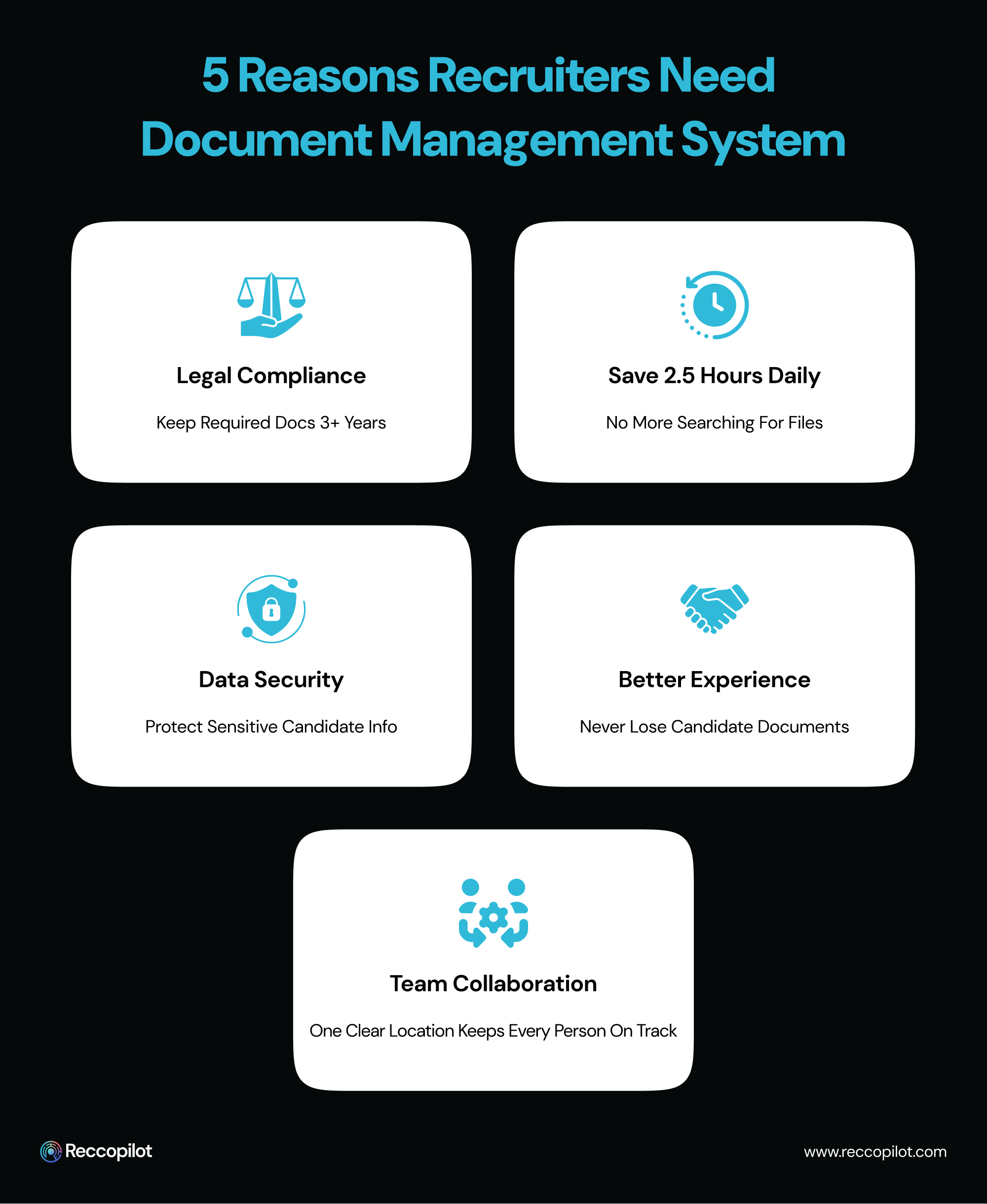
Holding onto certain paperwork isn’t optional - rules say how long each type stays. Three years past someone starting work, keep their I-9 safe. EEOC files? Hold those tight too. Agreements with signatures live longer than casual notes. When an inspector knocks or a case opens, delays cost more than storage ever could. Skipping organization is like betting your business on luck. Having everything ready means showing what matters when it counts.
Every minute hunting files adds up fast. Research says staff lose two and a half hours each day just tracking down data. Recruiters could be calling applicants or closing jobs - instead they’re stuck looking. With smart storage tools, pulling up paperwork takes seconds, not endless scrolling through folders.
Start digging through files just to find a missing CV? That slows everything down. Misplacing paperwork makes applicants wonder if you care at all. Smooth handling of submissions keeps things moving without hiccups. Chaos fades when every file has its place. Frustration drops when people do not get asked twice for the same thing.
Files bounce between team members when more than one recruiter handles a role. That happens because there's no shared document management system to store them. Confusion kicks in once someone edits an old copy. A central hub stops mismatches before they grow. What counts is knowing where the latest version lives. One clear location keeps every person on track.
Hidden inside hiring files are private details like social security digits and home locations. Background screenings sit alongside these. Protection matters here. Document management system software that handles paperwork often has built-in safeguards. Permissions decide who gets in. Trails record every look - names, times, actions taken. What you see is tracked.
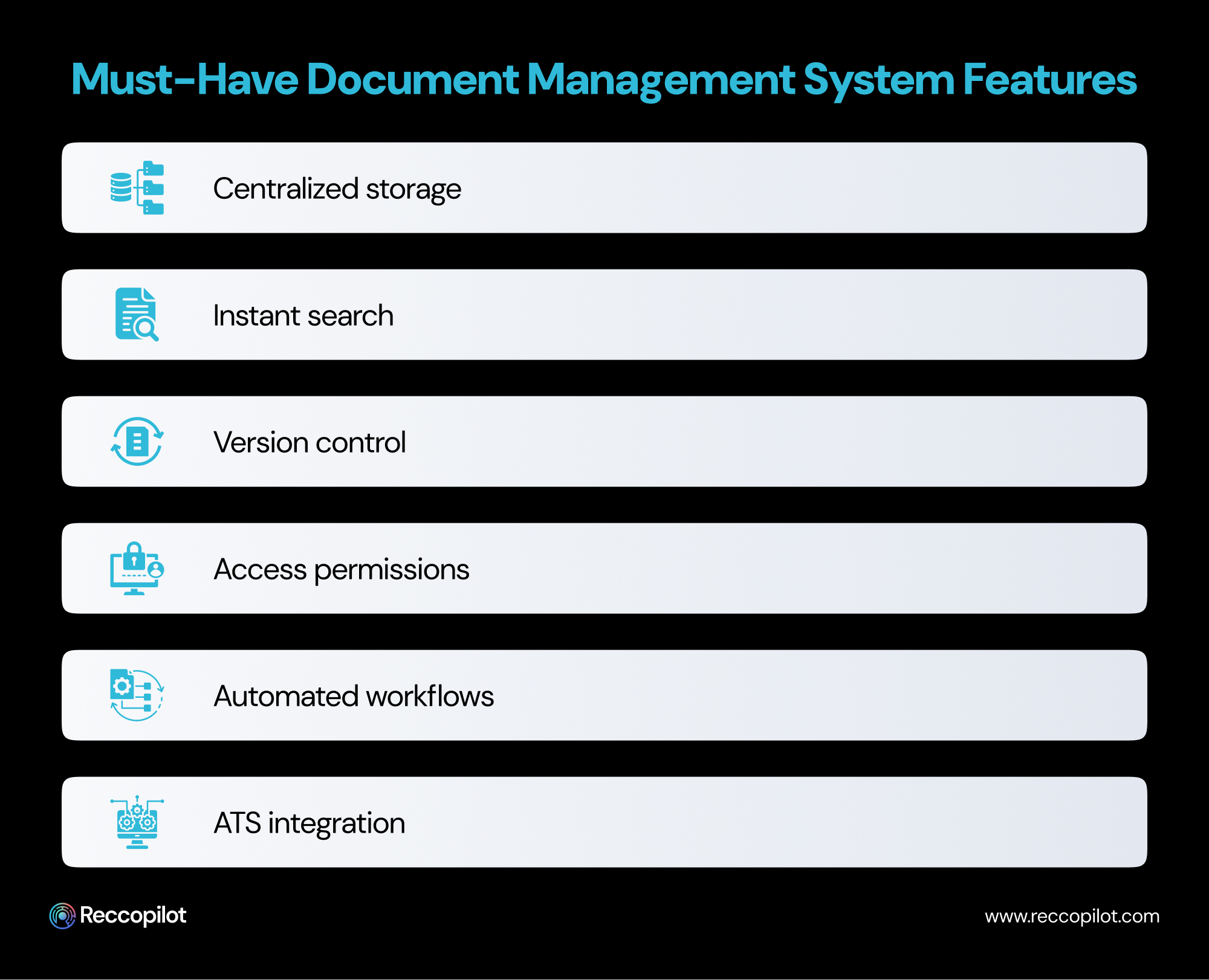
Start by noticing what makes document management system actually useful helps you know what to look for. Some setups just get in the way instead of helping out. When hiring is part of your routine, a few functions become far more relevant than others. What works fine elsewhere might fall short here without those specific touches.
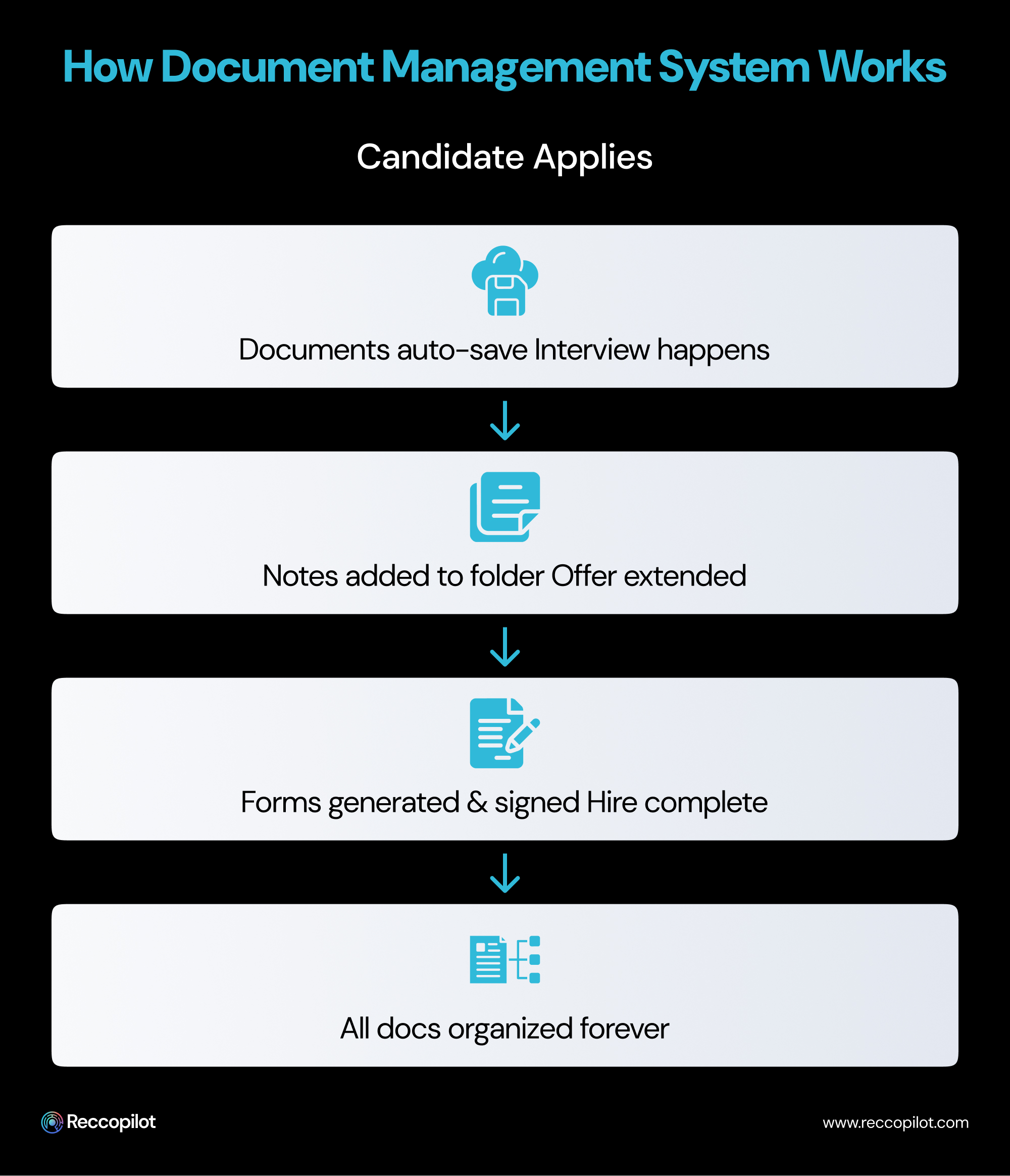
What happens when ai document management system for handling documents, meet real hiring tasks? The benefit shows itself plainly then. Moments of actual use pull back the curtain on usefulness. Instead of theory, there is action filling folders, sorting files, tracking progress. Each step forward reveals clarity where confusion once lived. Value stops being an idea. It becomes something you see, touch, follow through from start to finish.
Right away, each application slips into the document management system - resumes, cover letters, all filed under name, position, date. Nothing gets lost because the moment it arrives, it's sorted. With zero hands touching folders, every piece lands where it should. Instantly structured, never delayed.
Notes pile up inside the candidate’s folder while interviews happen. One interviewer finishes, another steps in, pulling up what was already written. Same details sit in front of every person involved. What someone records stays visible to those who come after.
A single spot holds every detail about a candidate - background checks appear there, along with feedback from past employers, while test scores from outside providers also show up. Scattered emails and separate platforms lose their grip when all pieces gather in that one space.
From the start, every form needed - offer letters, NDAs, contracts - lives in the system as a ready template. Using candidate details, you create documents that fill in automatically. After sending them off for signing, the completed copies return straight into the right folder. Everything moves through one place, no switching around. Workflow stays contained, step by step.
After arrival, forms arrive - tax bits, salary steps, workplace guidelines - all resting inside a folder once someone starts. Should they leave, each document remains sorted, waiting only if called upon later.
Document starts piling up when hiring groups skip using organized file tools - delays show fast, mistakes follow close behind.
Out here, papers once stacked high in cabinets now live inside document management systems that sort themselves. Peek behind today’s tools and you’ll spot clues about what comes next for handling documents.
Out of nowhere, AI steps in to scan papers and pull details fast. Toss in a resume, it grabs names, contacts, skills, background - no typing needed. Stuff gets done quicker than ever before. Time vanishes less on busywork.
Once a signed offer letter shows up, notifications go out to HR without anyone needing to step in. Workflows kick off as soon as document status changes, setting things in motion behind the scenes. Preparing for the newcomer’s first day gets broken into steps, those steps land straight into task queues. The moment paperwork clears, onboarding begins - no delays, no missed signals.
Picking up on meaning? That’s what smart search does. When someone looks for "engineering candidates," it pulls up files labeled "software developer" - connections like that make sense to the system. Even if the words differ, the link shows through. Terms such as "programmer" appear too, simply because they fit the idea behind the query. Meaning matters more than exact matches here.
Surprisingly efficient, tools such as Reccopilot weave smart file handling right into hiring processes. As files arrive, they sort themselves, pull key details into applicant records, then prompt follow up actions without nudging. Curious what happens when paperwork works smarter? With Reccopilot, anyone may try it at no cost - use real documents from daily recruitment tasks.

Starting fresh with hiring files spread everywhere might seem like a mountain to climb - yet it can actually unfold step by step without chaos. Moving into organized storage isn’t about big leaps, rather small shifts that add up quietly behind the scenes.
Picture a tool built just for hiring teams when picking software to handle files. Not every system gets how recruitment moves, yet ones made for it fit right into daily tasks. Offer letters show up ready-made, along with review sheets and paperwork needed to stay within rules. These setups already know what forms matter most during the process.
One step at a time works better when moving old files. Right away isn’t necessary for every past record. Focus shifts to people applying now, plus those just hired. Older papers trickle in later if they matter most. Space allows room for what’s needed soon after.
Start by setting clear rules for names and labels. Pick a way to name files that sticks every time, using tags the whole group agrees on. When people follow the same pattern, finding things later just works. Consistency turns chaos into order without extra effort.
Start by showing staff how the updated platform works. Without proper handling, even strong tools fall short during hiring tasks. A brief session helps each person understand saving files, finding records, navigating folders.
Start by linking what you already use. A solid document management systems software setup talks to your applicant tracker, inbox, along with hiring apps - moving files without extra steps.
It starts small, handling papers without fuss makes daily tasks feel steady. Not chasing documents means time opens up for talking with those looking for jobs. When reviews happen, being prepared keeps nerves steady. How things move behind the scenes sticks in people’s minds, especially the care they felt when applying
Hours vanish when files go missing, time that could find great hires or real talk with teammates. Paperwork in its place gives those minutes back, quietly. Smarter work piles up gains quickly - skip the fines later, that is just bonus.
Here among fast taps and quick scrolls, certain job teams still fight through dusty piles of forms.




