


How to Choose the Right Applicant Tracking System for Small Business
Read Time
8 Minutes
Updated On
October 1, 2026
.jpeg)


Hiring the right people is important but can quickly consume a team’s (or individual’s) time when you are a smaller business with limited resources. Posting, reviewing, communicating, scheduling, and managing all the various aspects of hiring can become overwhelming as the volume of roles and/or applications increases.
An applicant tracking system (ATS) can help organize various aspects of the process to keep everything on track, and more streamlined for the recruitment team. However, choosing the right applicant tracking system for small business comes with its own unique set of challenges.
While it is not simply a matter of choosing the best-tracking software for the features listed, small business recruitment software has different requirements than enterprise-level systems. A small team or individual recruiter needs something that is simple to use, easily implemented, reasonably priced, and will likely not bog down their process with bells and whistles that only get used a handful of times a year.
It depends on a few factors
Typically, small businesses have fewer internal resources to dedicate to the recruitment process. A single individual is often responsible for managing the entire life-cycle of a role - from defining the JD and putting the role out for advertising, reviewing any applications that come in, communicating with candidates, conducting interviews, and coordinating with the hiring managers on final selection and offer-making.
If a company is already struggling to keep track of the process, the lack of dedicated resources can make it hard to properly organize every aspect.
Using an applicant tracking system can help alleviate some pressure by bringing the primary activities involved in recruitment under a single umbrella and allowing recruiters to focus on the most important elements of the process, without overlooking some of the smaller but still vital components.
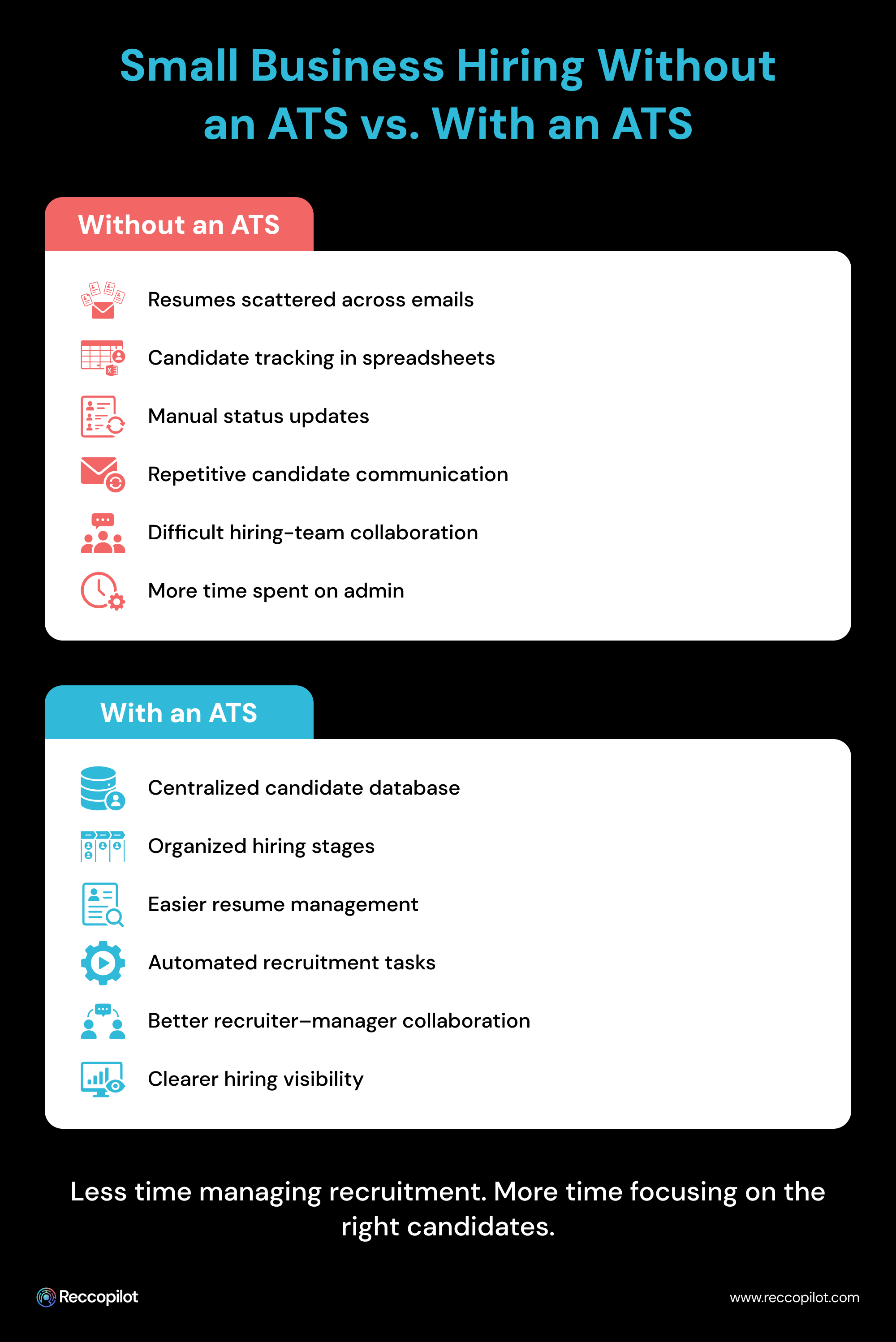
If a small business is currently managing the recruitment of new staff without dedicated recruitment software, the process will likely include the following elements:
• Spreadsheets to track applicants
• Email to communicate with candidates
• Job boards to post open roles
• Calendar invites or reminders to schedule interviews
• Folders to store and organize resumes
• Separate documentation to track hiring progress
• Separate spreadsheets or other tracking mechanisms to manage hiring activities and communication with hiring managers, etc.
Each of these tools can be sufficient when a company is only hiring for one or two roles - as the number of open positions and applicants begins to climb, the amount of manual work involved in the process will skyrocket.
An applicant tracking system for small business can help bring these aspects of the process together to form a more cohesive process.
A small business team may not need something as robust and sprawling as an enterprise-level recruitment platform. While such a system could work for some companies, it may be a case of using a sledgehammer to crack a nut - there is likely no need to utilize a system that has a learning curve that spans weeks or even months.
Instead, focusing on a more streamlined solution makes more sense - one that meets the immediate needs of the team without over-complicating matters.
There are many options available, but in order to choose wisely, it helps to look at the features that are required to meet the needs of the business and its HR/recruitment teams.
One of the most common complaints of recruiters is that it is hard to keep track of where candidates are at in the process. This can change if a suitable ATS is utilized - one that allows the user to view an overview of all active candidates (in different stages of consideration), and easily update or modify information as needed.
In short, an applicant tracking system should allow for:
• Storing of candidate-related information
• Organization of applications and status
• Searching for applicants
• Moving candidates between stages
• Accessing records of applications
• Maintaining a centralized candidate database, and so on
A simple interface for candidate management will also make the software easier to learn and utilize in day-to-day operations.
One thing that many small businesses have in common is that they struggle to get enough visibility for their job postings. In order to maximize exposure, they often try to advertise on as many channels as possible - this includes dedicated job boards, company career pages, social media channels, recruitment agencies, etc.
An applicant tracking system can help simplify some of these tasks by allowing recruiters to manage job advertisements from a single dashboard, instead of logging into multiple platforms just to update a few words in a job description.
When evaluating applicant tracking software for small business, it is also important to see whether the tools can support the various recruitment channels used by the company.
Some things to consider include:
• Does it support the job boards and advertising channels that the company utilizes?
• Can they be managed directly within the platform?
• Can the job ad be edited or pulled down at any time?
• Can they be scheduled to go live at specific times?
• Can multiple job postings be managed from a single dashboard?
• Does the ATS provide tools for recruiters to create the advertisements themselves, or will they have to be imported manually?
Manually reviewing the resumes of every applicant can take a significant amount of time and energy - something few small businesses have spare. Resume parsing can help by making candidate search and shortlisting easier.
A good ATS will allow a recruiter to: Search through candidate data to identify those who meet specific criteria (skills, roles, experience, etc.)
This becomes increasingly important when a company is flooded with applicants for the same position - sorting through hundreds of resumes for one role is not sustainable in the long-run.
Recruitment is rarely a solo process - even if a small business only has one dedicated recruiter, they are unlikely to handle every aspect of the process alone. They may, for instance, be handling the shortlisting and interviewing process, but have to hand off to the hiring manager for the final rounds of assessment and interviews. Or, they may need to collaborate when it comes to communicating with candidates.
Regardless of the scenario, an ATS with decent collaboration tools can make things easier by serving as a single source of truth for all hiring activities and communication.
It should allow hiring managers and recruiters to:
• View the hiring pipeline
• Collaborate on next steps
• Give and receive feedback
• Keep track of the status of applications
• Maintain visibility of the hiring process, etc.
Better collaboration should also help minimize disruptions and delays - if a hiring manager has concerns about a candidate’s suitability, they can let the recruiter know sooner rather than later, thus avoiding wasted time.
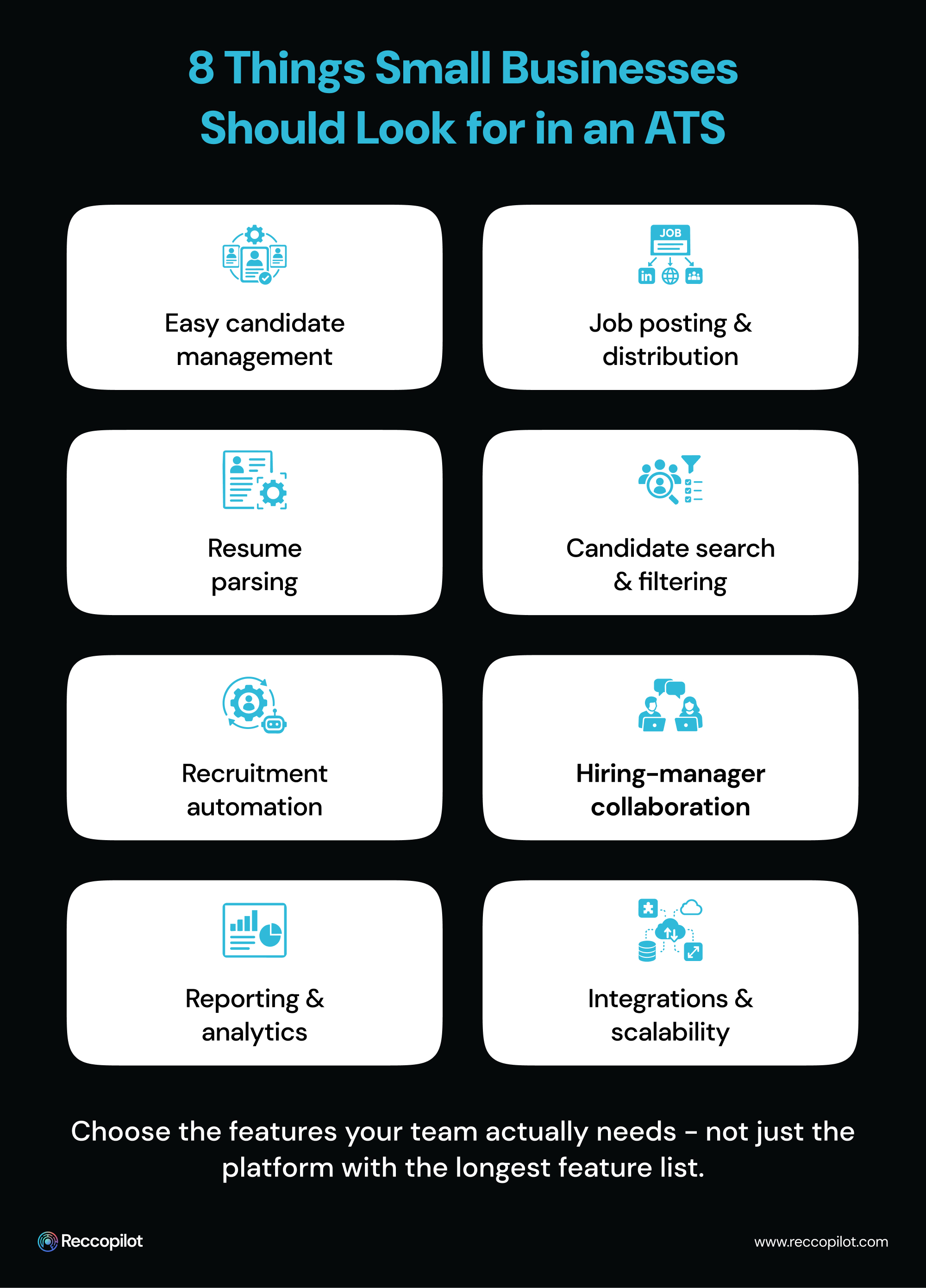
Small businesses can improve their recruitment process with software by replacing tedious, repetitive tasks with automation, while also creating a more organized and consistent process.
Using recruitment software will allow a small business to consolidate various components of the process instead of switching between a multitude of separate tools and applications. This should help make the life of the recruiter or hiring manager easier in a variety of ways.
Automate repetitive tasks
Recruiters typically perform the same set of monotonous tasks dozens or hundreds of times every week - responding to basic candidate inquiries, updating candidate records, marking applications as viewed, moving applications between stages, scheduling and conducting interviews, etc. Many of these can be automated or replaced with pre-set templates to reduce the burden.
The right ATS for small business will streamline recruitment by reducing the number of repetitive and time-consuming tasks.
Create a consistent recruitment process
A consistent recruitment process ensures there is minimal room for human error and every application is handled in a similar manner, regardless of who is handling it.
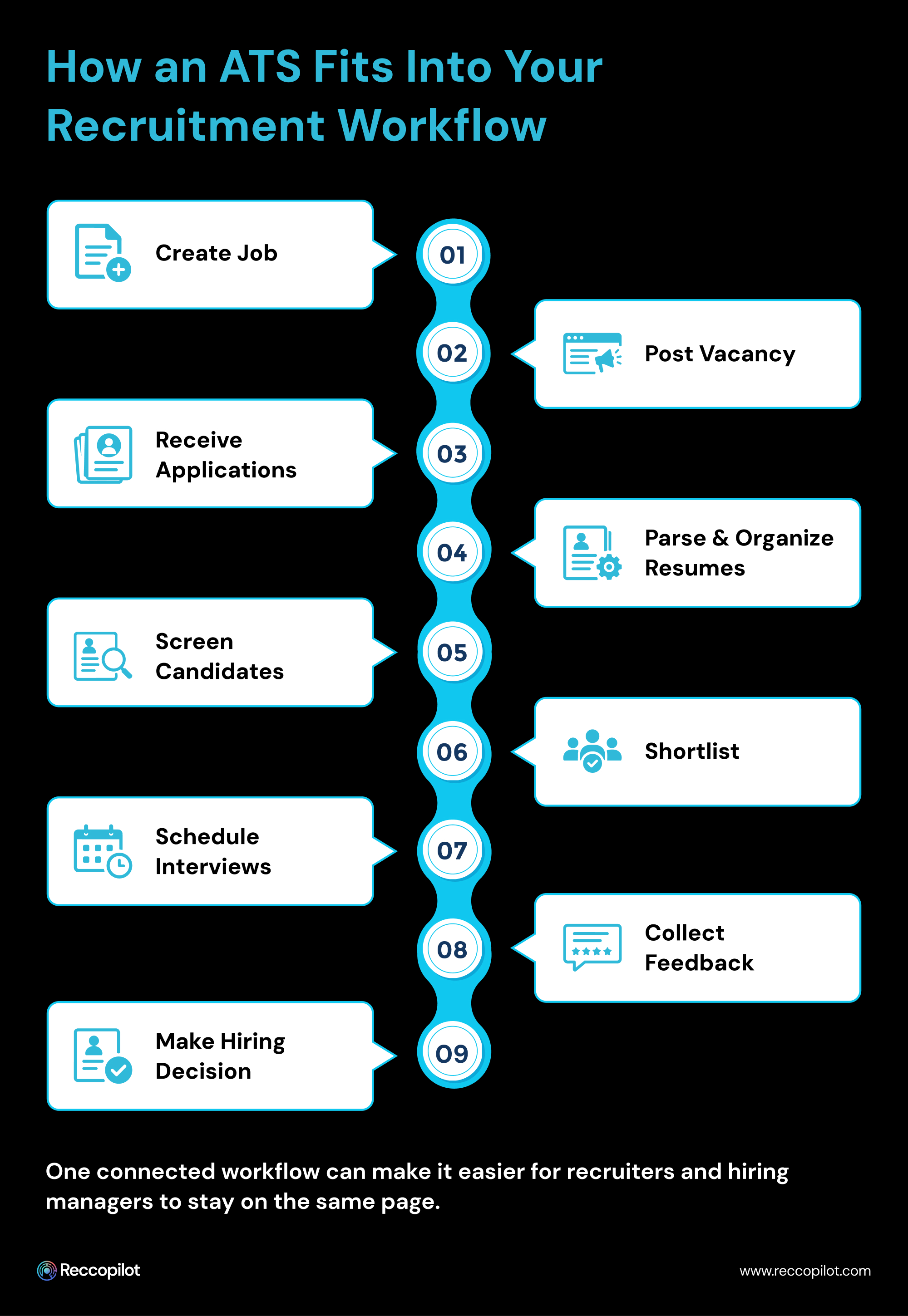
An ATS can help achieve this by establishing specific stages for every open role (e.g., Application received → Resume screened → Initial interview → Final interview → Hiring decision → Offer made → Joined company, etc.) and moving candidates through this pipeline.
Having a consistent, well-defined process can also help avoid applications simply getting lost or overlooked, which can happen when a manager forgets to follow-up on an application.
Keep candidate information in one location
When all the information relating to a candidate is scattered across various spreadsheets, folders, and email accounts, it becomes much harder to find at the moment it is needed. Using an ATS can help eliminate this issue by bringing everything into a single location.
Recruiters can access the information they need (e.g., the resume or application) without having to perform a tedious search.
Choosing the right ATS goes beyond comparing lists of features - while it is important to ensure that the selected option actually meets the needs of the company, the process should also take into account the existing pain points and the actual requirements of the HR/recruiting team.
An effective way to begin is by consulting with your HR/recruiting team about their current pain points and areas of concern.
Some things to consider include:
• What parts of the recruitment process take up the most time?
• How many roles does the company fill on average?
• How many applications does the team receive for each role?
• How are candidates currently tracked?
• Where are the biggest bottlenecks or pain points?
• Is there sufficient visibility of the recruitment process by hiring managers?
• Are there any routine or repetitive recruitment activities that could be automated?
• Are there any challenges with finding candidate information?
• What are the most important recruitment process requirements?
• Are there any preferred features for resume parsing?
A small business typically has limited headcount allocated to the recruitment process. How many people are involved or need to use the ATS? A 2-person HR team has far different requirements than a 10-person recruitment team. Focus on the needs of the people who will actually be using the system, rather than what a larger team may require.
Does the business expect to grow in the next 6-24 months? If so, would the proposed ATS be able to accommodate more users, roles, candidates, and activities?
The idea is to find an ATS that will not grow beyond the needs of the team, but still support their long-term goals. Avoid choosing something “just in case” they need it - select a platform that is appropriate for their current requirements and can scale if their needs change.
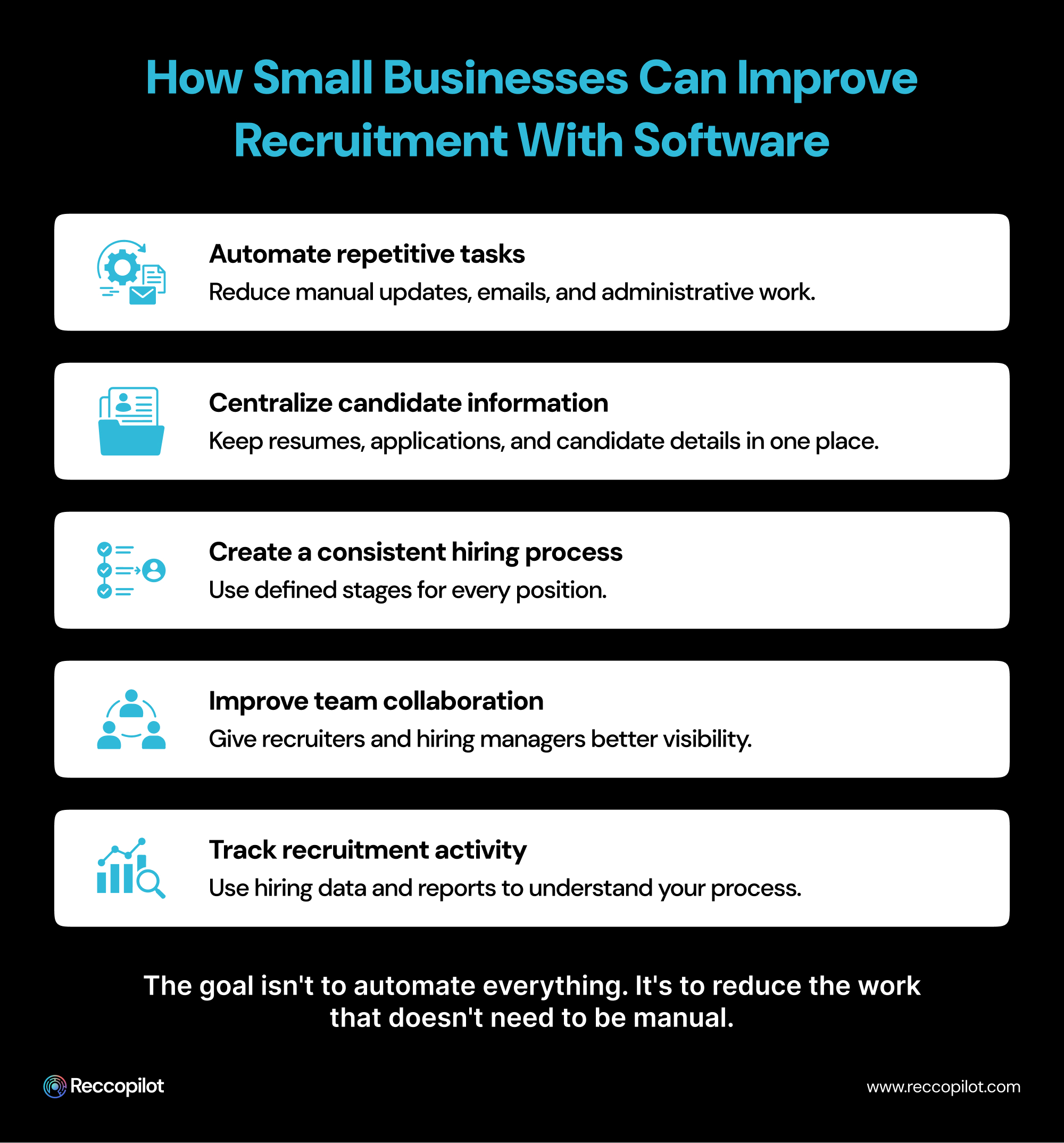
When doing a feature-comparison between different applicant tracking systems for small businesses, focus on the following areas:
Candidate management
Does the platform offer sufficient tools for organizing the recruitment process while keeping track of the candidates?
Recruitment automation
Can the system reduce the number of repetitive or monotonous recruitment activities, such as automatically sending out communication and/or interview reminders, candidate status updates, etc.?
Reporting and analytics
Does the system support the creation of reports and dashboards that can help analyze recruitment statistics and gain greater insight into the performance of the hiring team?
Integrations
Can the applicant tracking software integrate with other critical tools and systems that the company utilizes?
Collaboration tools
Does the system allow effective collaboration between different members of the recruitment team and/or hiring managers?
Usability
Is the platform simple to use, intuitive, and does it offer sufficient support for day-to-day activities?
Pricing and support
Does the platform offer sufficient support and training for the hiring team? Does the price fit within the company’s budget? Will it provide value for the money?
Incorrectly assessing recruitment requirements before selecting an ATS can end up doing more harm than good. This is especially true if a small business chooses something that only solves a couple of pain points, but complicates the rest of the process. Here are some other ATS selection mistakes to avoid:
Make decisions based on cost
While the budget constraints of a small business are fully understood, it is important to look at cost vs value. The cheapest ATS rarely provides the tools needed to make the process significantly easier, while the most expensive option will likely include features far beyond what is needed.
Avoid the allure of too many features
If the main goal is to organize and manage the candidate pipeline, an advanced feature like predictive analytics may be overkill. Focus on the primary requirements before making any decisions.
Ignore user-friendly design
No matter how many useful features a platform has, it will not be used if the team cannot find their way around the system. Ask yourself the following questions when evaluating an ATS:
• How easy is it to create a job advertisement?
• How fast can a recruiter search for a candidate?
• Can hiring managers understand the candidate status?
• Is the dashboard organized and intuitive?
• How much training is required before the team can use the system confidently? Etc.
Avoid choosing a tool that fails to scale effectively
The requirements for a small business today rarely match those of the same company in 12 months.
When choosing an ATS, consider whether the company will be able to utilize the system as it grows. Some platforms can fail to scale effectively, which can force businesses to invest in an entirely new system.
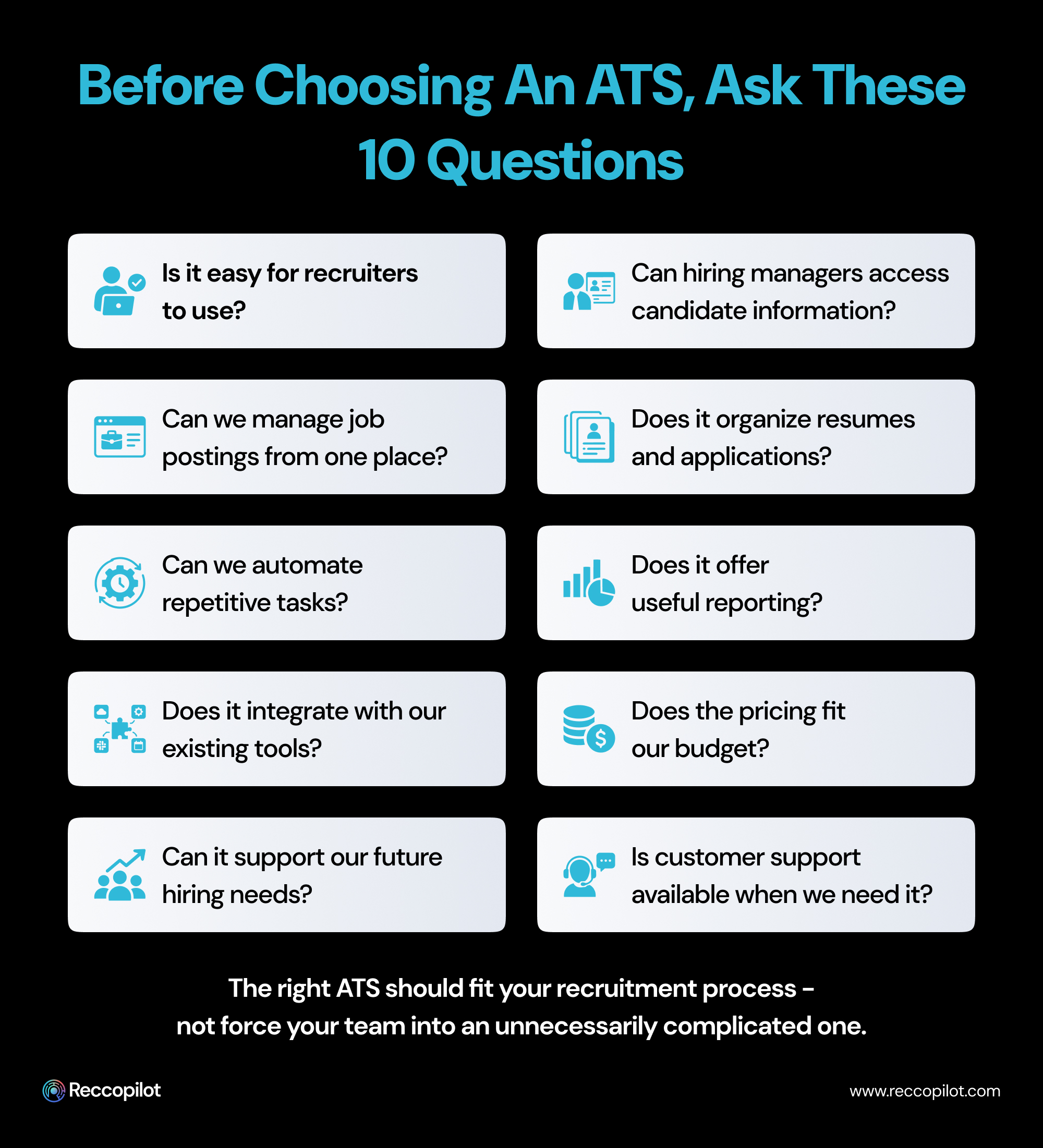
Before choosing an ATS, here are some important questions to ask each provider you are considering:
The faster and simpler the implementation, the less strain it will put on your company’s team.
Avoid getting general responses by asking specific examples.
Ensure the platform can connect to the tools and systems that your company utilizes.
Recruitment is a team sport, not a solo activity - find a platform that allows effective collaboration between all members of the recruitment team and/or external hiring managers.
Ensure the system has the tools to create reports that support the needs of your HR team and hiring managers.
There is no hard-and-fast rule in choosing the right moment to invest in an ATS. Every company must evaluate their unique requirements before deciding.
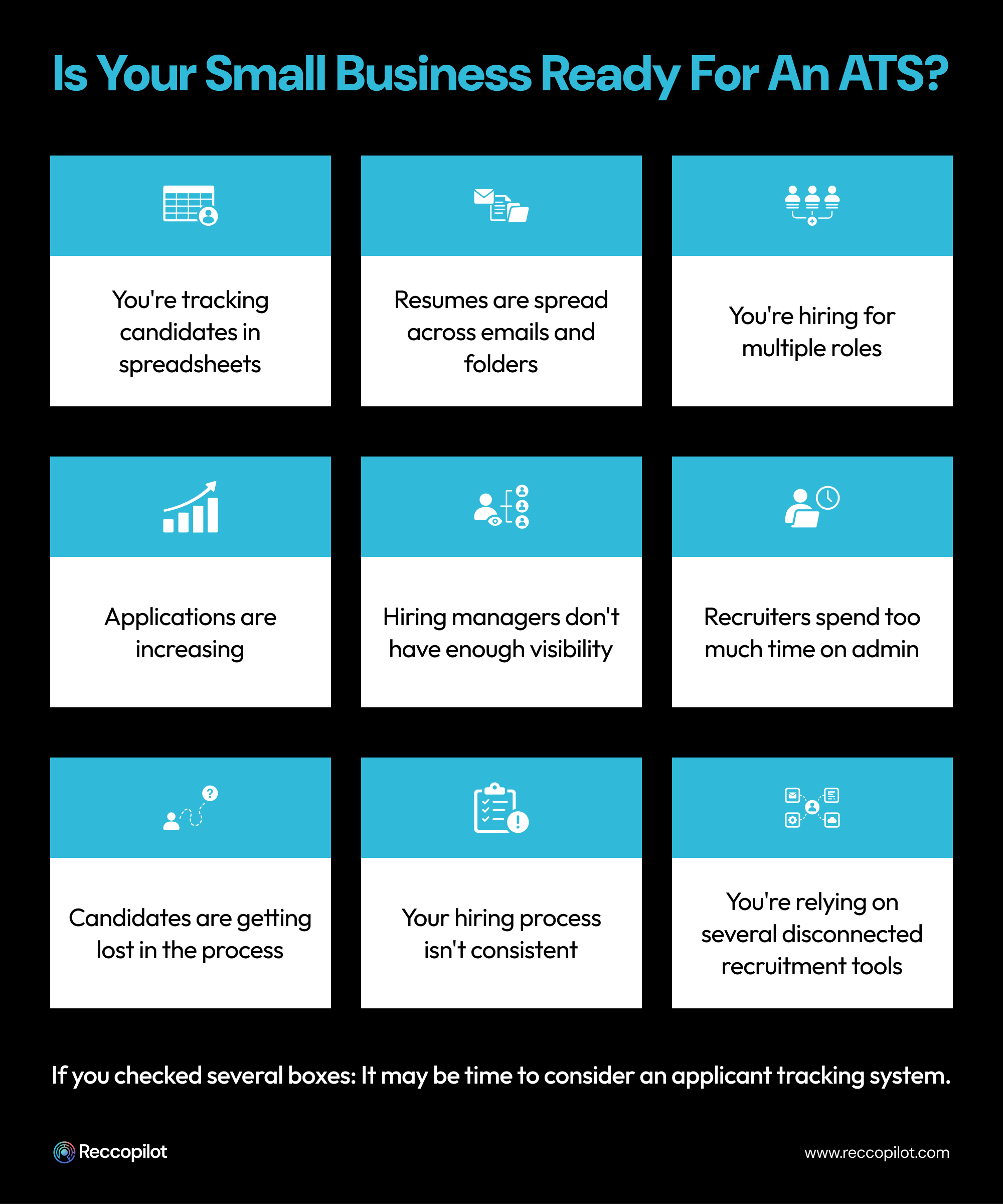
However, here are some key red flags that may suggest it is time for a small business to invest in a proper recruitment platform:
• Your recruiters are currently using multiple spreadsheets to keep track of each candidate
• The amount of applications that you receive is becoming unmanageable
• Your hiring managers do not have sufficient visibility of the recruitment process
• Candidates are getting lost or overlooked somewhere in the pipeline
• Your recruiters are spending too much of their time on monotonous, non-value-added tasks
• Communication with candidates is inconsistent
• It has become challenging to hire across multiple roles
• The company wishes to standardize the recruitment process, etc.
One of the primary reasons why a small business would invest in an ATS is to support its own business growth. As a company grows, its requirements for staffing, and the recruitment process itself, will also shift and evolve.
A scalable ATS will help ensure that the business can continue to move forward, even as the hiring volume climbs. At the same time, it will streamline processes and reduce the amount of extra work involved as more roles need to be filled.
A few of the ways in which an ATS can support the growth of a small business include the following:
Build a repeatable recruitment process
As mentioned earlier, having a standardized recruitment process is important. It makes everything more organized, reduces the number of errors made during the process, ensures consistent communication with candidates, and makes it far easier to track the status of every application.
With an ATS, a small business can build a repeatable recruitment process that ensures every new role gets handled the same way.
Improve visibility across the hiring team
An ATS can provide enhanced visibility into the recruitment pipeline, allowing the hiring team to track the progress of candidates and know which ones require attention.
This helps reduce the likelihood of applications falling through the cracks.
Reduce the amount of time spent on administrative work
Administrative tasks, such as tracking, updating, and organizing applications, can take up a significant amount of time that could otherwise be spent on more productive tasks - such as building relationships with candidates, engaging with the wider community, strengthening branding, etc.
By reducing the amount of time spent on monotonous, non-value-added tasks, a small business can dedicate more time and effort to strategic aspects of recruitment.
To summarize everything discussed in this guide, here is a simple checklist that can ensure a small business chooses the right ATS:
If a platform meets your recruitment needs without being unwieldy, it is likely a good option for your company.
When it comes to choosing an ATS for small business, it is all about finding a solution that meets the requirements of your team. Small businesses do not have the luxury of selecting the most expensive platform simply because it is available - they have to make hard choices based on their current and future recruitment needs.
It is important to recognize the pain points of the current recruitment process and make sure that the selected ATS actually addresses these issues. A good ATS will streamline the recruitment process, enhance collaboration between all parties involved in the hiring process, centralize critical candidate information, minimize administrative overhead, and provide greater visibility of the process.
Before making a final decision, evaluate your existing recruitment workflow, understand your requirements, compare relevant features, consider your budget, and give the tool a test-run.




